

Coordinating every element of a home renovation project while tracking budgets, design changes and contractor communication still leads to clashes, missed details and spiralling costs. Many home renovation project management platforms either lack reliable AI-driven suggestions, lock collaboration behind expensive plans, or fail to integrate key features like real-time budget visibility and document sharing. This guide illustrates how leading alternatives handle design automation, task organisation and contractor oversight so you can compare subscription value and choose the right fit for your next build or refurbishment.
Table of Contents
- House A-Z
- buildNest
- Tendereno
- Houzz Pro
- Maket
- Casa360
- Comparing Home Renovation Project Management Solutions
buildNest
At a Glance
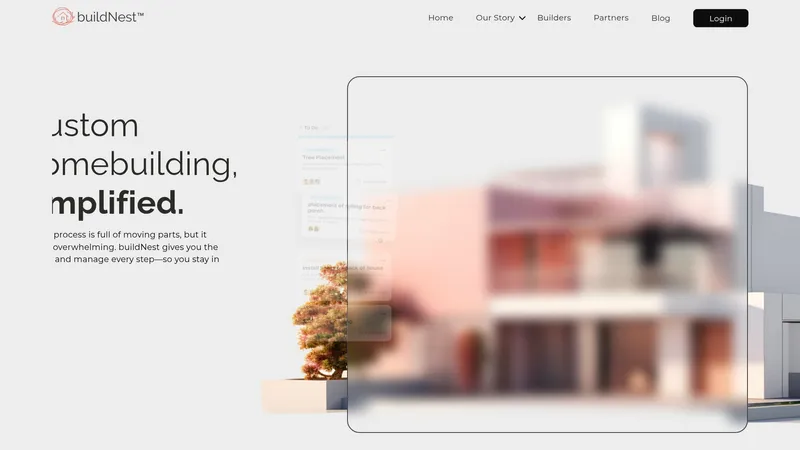
buildNest places property ownership and generational wealth at the centre of its pitch by combining budget control, task management and contractor collaboration into a single workspace. The platform frames those tools around homeowner empowerment and transparency rather than purely around builder workflows.
Core Features
Budget tracking for line item costs and change orders, linked to project milestones for clearer cashflow visibility.
Task management and milestone tracking that keep build stages visible to homeowners and contractors alike.
Contractor and vendor management with messaging and document sharing to reduce lost approvals and missed instructions.
Sections for inspiration and design notes so aesthetic decisions and specifications stay attached to the project record.
Key Differentiator
buildNest aims to be an integrated homebuilding control centre that places the homeowner in the driver seat. The product differentiates itself by tying financial oversight directly to day to day project tasks, making budget implications visible when decisions are logged. That coupling addresses the common mismatch between design choices and their cost impact.
Pros
The product provides clearer lines of sight across budget, schedule and contractor communication which reduces guesswork for homeowners during construction.
Reported onboarding is straightforward, so homeowners and small builder teams reach useful behaviour quickly without a steep setup phase.
Real time updates and shared project records cut down on duplicated messages and misplaced invoices, which helps keep conversations anchored to specific milestones.
The platform’s emphasis on helping families convert a custom build into equity is a compelling framing for buyers focused on long term value.
Cons
Customer support is reported as inconsistent which can create risk during critical build phases when quick decisions matter.
Users have raised concerns about the vendor’s financial stability and there are reports of complex billing disputes that undermine trust.
Several users mention failed projects linked to platform issues or poor vendor follow through which makes the tool feel risky for high value builds.
When It May Not Fit
If you want a well established enterprise grade vendor with strong, audited support guarantees, buildNest may not be the right choice. Teams that need ironclad billing clarity and a formal service level agreement will find the platform’s current track record worrying.
Who It's For
Homeowners planning a custom build who want hands on budget control and a single place to collect decisions, documents and contractor messages. Smaller builders and real estate advisers who prefer a homeowner facing tool that highlights equity and transparency will also find it useful.
Real World Use Case
A homeowner uses buildNest to record design choices, attach supplier quotes and route change orders to the contractor. The team tracks milestone payments against the budget so a late specification change shows its cost immediately and the owner avoids surprise overspend.
Pricing
Pricing is not published in the product data and is listed as not applicable for informational purposes. Prospective users should contact buildNest directly for current subscription or implementation terms and to understand billing mechanics.
Website: https://buildnest.ai
Tendereno
At a Glance
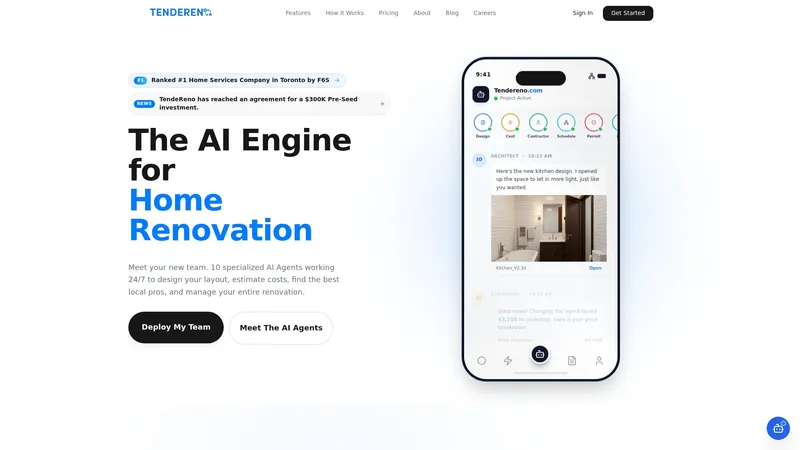
The vendor advertises a $300K pre seed investment and recognition by F6S as Toronto's top home services company. Tendereno uses specialised AI agents to automate design, estimation, contractor matching and project tracking for homeowners and contractors in Toronto and beyond.
The sales materials emphasise an end to manual quotes and spreadsheet budgets for medium sized renovations.
Core Features
- AI driven 3D modelling from simple sketches that produces visual plans you can review before a site visit.
- Real time cost estimation and budget tracking with line item breakdowns so costs update as choices change.
- AI matched verified contractors plus permit checks, style palette curation and milestone based payments for security.
Key Differentiator
Tendereno packages design, estimation and contractor management into a single workflow driven by its specialised AI agents. That integrated automation is aimed at replacing multiple point tools and reducing the number of handoffs between homeowners and contractors.
The effect is a single place to keep estimates, timelines and communication rather than a scatter of apps and spreadsheets.
Pros
- Provides an integrated AI powered renovation process that reduces time spent chasing quotes and organising documents.
- Verified local contractors and built in permit checks help reduce the risk of missing compliance steps during planning.
- Transparent pricing and live budget updates give you an immediate view of how material or specification changes impact cost.
- Recognition by F6S and the pre seed investment are signals the vendor has early market validation and runway, according to its marketing.
- Monthly and annual plans for homeowners and contractors make ongoing use practical for active renovators and trade businesses.
Cons
- No third party reviews are available which makes independent assessment of the user experience difficult.
- The vendor provides limited detail on integrations or API support so existing contractor workflows may not plug in easily.
- Pricing may feel steep for casual or one off projects; the platform suits frequent renovators and professional contractors better.
When It May Not Fit
If you rely on a contractor ecosystem that requires API level integrations or you expect to read independent user reviews before committing, Tendereno may be a poor match. Casual DIYers or one time small jobs will probably find the subscription model less attractive.
Who It's For
Serious homeowners in Toronto and renovation contractors who want a single digital system to manage bids, permits and payment milestones. The product targets people prepared to pay for continual oversight and an AI assisted workflow.
Real World Use Case
A homeowner uploads a hand drawn kitchen sketch, receives a 3D model and a detailed cost estimate, and is matched with local verified contractors. The project moves from estimate to milestone payments with communication and permit checks all visible in the same place.
Pricing
Monthly plans start at $29 for homeowners and $499 for contractors. Annual billing offers discounts and the vendor markets unlimited projects and real time updates on paid tiers.
Website: https://tendereno.com
Houzz Pro
At a Glance
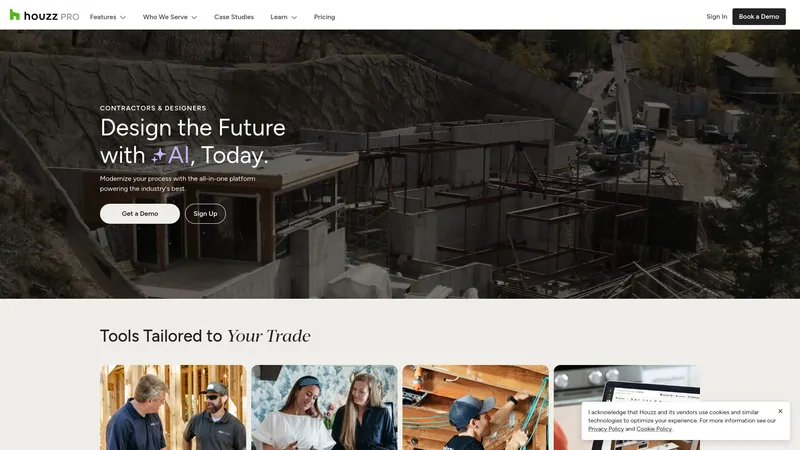
User reviews for Houzz Pro frequently call out inconsistent customer support and unclear billing, even as the platform brings project planning, financial tools and marketing into a single place for construction and design firms.
This mix makes it attractive to established trades but raises caution for teams sensitive to lead quality or subscription churn.
Core Features
- Project management: schedules, tasks, daily logs, procurement, plus time and expense tracking for site teams.
- Financial tools: estimates, change orders, invoices, online payments and reporting with QuickBooks connectivity.
- Marketing and leads: custom website templates, email campaigns, premium profiles and paid advertising to generate enquiries.
- Client and subcontractor portals: CRM, dashboards and portals to share progress, documents and approvals.
Use these modules together or pick a subset according to where you need support.
Key Differentiator
Houzz Pro's primary angle is that it combines marketing and lead generation with project and financial workflows specifically for contractors, remodelers and designers.
That positioning differs from House A-Z, which targets first-time builders and renovators with AI agents, budget tracking and a focus on error avoidance rather than lead generation.
Pros
- Brand exposure and portfolio building help trade businesses win local residential work; the marketplace presence is a direct channel to homeowners.
- QuickBooks integration removes a manual bookkeeping step for many firms and speeds month end reconciliations.
- The in-app 3D floor plan and rendering tools let designers produce client visuals without a separate modelling licence.
- Mobile app support means site managers can post daily photos, update logs and approve invoices while on site.
These strengths suit firms that want marketing and delivery in one contract.
Cons
- Customer support quality is inconsistent across reported experiences, which can slow issue resolution when billing or lead problems arise.
- Cancellation and renewal processes are unclear in some accounts, creating administrative overhead for busy owners.
- Several users report low-quality or irrelevant leads, which reduces return on the marketing spend.
- The interface requires time to learn; smaller teams without dedicated admin support can find setup taxing.
When It May Not Fit
If you only need a single function, such as a marketing site or a simple task tracker, Houzz Pro’s breadth can feel excessive and add unnecessary cost.
Very small sole traders or niche specialists may prefer lighter, single-purpose tools rather than a platform that bundles lead generation with delivery management.
Notable Integrations
- QuickBooks for accounting synchronisation and financial reconciliation.
That is the primary third-party connection listed in the product data and the most relevant for bookkeeping workflows.
Who It's For
Contractors, remodelers, interior designers and architects who want a single platform to manage enquiries, client communications, job delivery and billing.
Best suited to businesses with some marketing budget and a need to convert online leads into booked projects.
Real World Use Case
A contractor uses Houzz Pro to publish a project gallery, respond to enquiries from the platform, run estimates and then invoice through the same account while the site team uploads daily photos and progress notes via the mobile app.
This keeps marketing and site reporting in one record.
Pricing
The product data supplied does not include published pricing details. Prospective buyers should consult the vendor site for current plan options and any promotional terms.
Website: https://houzz.com/pro
Maket
At a Glance
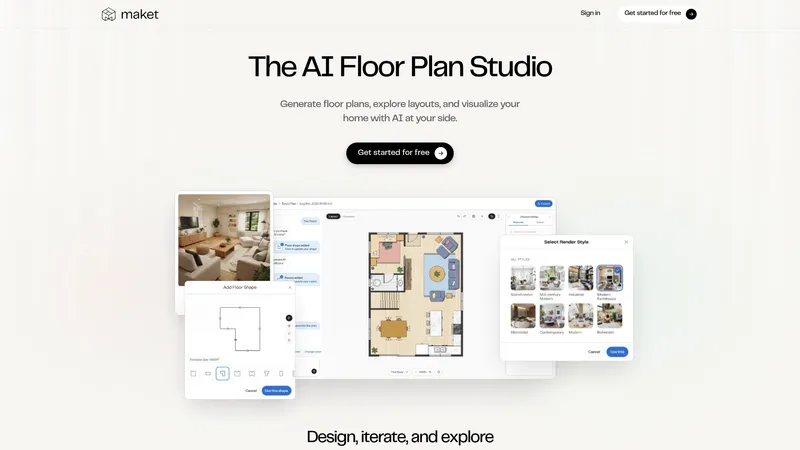
The vendor advertises a free starter allocation of 50 credits so anyone can try generating floorplans without paying. Maket promises quick, description-driven outputs and real-time renders that let non-experts visualise layouts in minutes rather than days.
Core Features
- AI-generated residential floor plans from simple text prompts, tuned for common dwelling types and room mixes.
- Easy, description-based design input so you type requirements instead of drawing walls manually.
- Design and iterate freely inside a single workspace with a style library and support for reference images.
- Photorealistic renders of layouts in real time to help choose finishes and spatial relationships.
Key Differentiator
Maket’s focus is narrow and technical: its AI creates real, editable, accurate residential floor plans from plain-language descriptions. That single-minded aim makes it faster for homeowners to sketch options, whereas House A-Z bundles planning, budgeting and project management across a build.
Pros
- Accessible for people without architectural training; you can produce coherent layouts from a paragraph of requirements.
- Quick generation and iteration speed lets you explore multiple concepts within a short afternoon session.
- Free to start means low friction for homeowners and small builders who want to test ideas before committing.
- Visual style customisation and instant renders reduce the need for separate mood‑board tools when comparing finishes.
- The workflow keeps sketches editable rather than locked images, which helps when a builder needs plan adjustments.
Cons
- No independent third‑party reviews are available yet to validate long term reliability or output quality.
- Export to professional CAD formats such as DWG, DXF export is not yet available; those features are under development.
- Several advanced capabilities sit behind paid tiers, so power users will pay extra to unlock multi-floor generation and high-resolution renders.
When It May Not Fit
If you need guaranteed CAD exports for immediate handoff to architects or surveyors, Maket currently falls short because the vendor lists CAD export as a forthcoming feature.
If your workflow demands integrated budget tracking, contractor collaboration or project schedules, that scope falls outside Maket’s design-first remit and is covered by tools like House A-Z instead.
Who It's For
Homeowners testing renovation or new-build ideas, small builders wanting quick plan options, and estate agents seeking clean visualisations to market a property. Ideal when you want speed and clarity rather than construction-grade documentation.
Real World Use Case
A homeowner uses Maket to produce and compare three layouts for a kitchen extension. They iterate with different room sizes and finishes, generate renders to show a builder, then use the editable plan to brief a draughtsperson for refinement.
Pricing
The vendor lists a trial with 50 credits free and paid plans beginning at $20/month for 300 credits, plus top-up packs for heavier usage. That structure suits occasional designers and professionals who prefer pay-as-you-go credits.
Website: https://maket.ai
Casa360
At a Glance
Instant generation of construction-ready architectural plans from natural language prompts. Casa360 pairs that capability with immersive 3D visualisations and collaborative sharing, aimed at speeding design iterations.
The vendor offers a free trial and there are no third-party user reviews visible, which limits external validation.
Core Features
Instant generation of architectural plans from natural language prompts, producing a full plan set rather than isolated sketches.
3D visualisations for immersive exploration, letting you inspect interiors, exteriors and basic material finishes before sign-off.
Collaboration tools to share designs with contractors and family, and built-in optimisations for structural integrity, building code compliance, lighting and energy efficiency.
Key Differentiator
The platform's standout claim is automatic generation of complete architectural plans directly from everyday text descriptions. That removes much of the initial drafting work for quick concept validation.
This focus makes Casa360 narrower than House A-Z, which also bundles budgeting, project management and AI agents for timeline and cost oversight.
Pros
Fast design cycles. Users can iterate several layout options from a single brief without redrawing basic plans.
Strong visual feedback. The 3D views help homeowners and designers reach alignment before detailed working drawings are produced.
Collaboration is built in so stakeholders can comment on the same model, reducing version confusion during early approvals.
Technical optimisation is part of the workflow, with the product claiming checks for code compliance, space use and material cost considerations.
A free trial lowers the barrier to test whether the generated plans match your local expectations.
Cons
No third-party reviews are available, so user satisfaction and long term reliability are hard to verify externally.
Public pricing beyond the free trial is not detailed, which complicates procurement for firms that need clear budgeting.
It is unclear how well the tool handles unconventional geometries or highly bespoke architectural briefs; the limits of the AI are not documented.
When It May Not Fit
If your priority is consolidated project oversight including budget tracking, contractor schedules and procurement, Casa360 will feel partial compared with House A-Z. Likewise, large practices that require formal vendor references and transparent enterprise pricing will find the public information here insufficient.
Who It's For
Architects, designers and homeowners who prioritise rapid concept generation and visual sign-off. It fits teams that want to move from idea to a presentable plan quickly rather than manage detailed construction procurement within the same tool.
Real World Use Case
A homeowner drafts a room brief in plain English, receives multiple plan options within an hour, and shares the preferred model with contractors for cost estimates. The 3D visualisations speed family approvals before a paid detailed set is commissioned.
Website: https://casa360.io
Comparing Home Renovation Project Management Solutions
When evaluating home renovation project management platforms, potential users encounter a range of offerings, each tailored to distinct needs. This analysis highlights the comparative strengths and considerations of five tools in contrast to House A-Z.
Depth of AI-driven Design Assistance
House A-Z delivers a unique advantage with its AI-powered design and budget suggestions, which align room layouts with user-defined budgets and timelines. While other platforms like Tendereno and Maket offer AI capabilities for design generation, their scopes are narrower—focusing predominantly on visually realistic renders and contractor matching.
- House A-Z’s role in proactive planning and budget management strategically shifts its functionality beyond task or layout creation, addressing complexities of extensive home renovations and first-time builders' needs.
Collaborative Tools for Contractors and Renovators
Collaboration facilitation is another domain where differences surface. buildNest excels in bolstering homeowner-contractor relationships through financial oversight integration into task management for equity-centric results. However, House A-Z’s exportable planning capabilities and built-in mobile features for real-time updates provide immediate insights during on-site activities. Meanwhile, Houzz Pro stands distinct with offerings in marketing tools bundled with contractor workflows, catering specifically to trade professionals needing lead generation aligned with project execution.
Best Fit Recommendations
- House A-Z: For first-time or independent renovators aiming at reducing complexity with guided design, budgeting, and execution features in one cohesive platform.
- buildNest: Homeowners prioritising equity preservation and immediate connection between budgetary implications and decision-making.
- Houzz Pro: Trade professionals requiring a marketing-centralised tool integrated into construction workflows.
Our Analysis
While House A-Z proves an excellent choice for novice homeowners or independent renovators engaged in complex projects, circumstances may favour competitors. For instance, Maket might be preferable for quick design prototyping. Exceptional needs defining a platform’s utilitarian aligning with specific renovation goals provide sufficient grounds to delve into reviewing features thoroughly before a commitment.
Comparison of Home Renovation Project Management Software
Choosing the right home renovation project management software can simplify budget tracking, improve decision-making, and enhance collaboration between homeowners and contractors. Here is a comparison focused on room-by-room planning, real-time insights, and tailored recommendations for various scenarios.
| Product Name | Primary Use Case | Key Differentiator | Pricing | Notable Limitation |
|---|---|---|---|---|
| House A-Z | First-time home builders | AI-driven layout and budget suggestions | Free tier, Pro €29/month, Enterprise €99/month | Requires quality user data for optimal results |
| buildNest | Homeowners managing custom builds | Links budget tracking directly to decisions | Not disclosed | Concerns about vendor stability and support inconsistency |
| Tendereno | Medium-sized renovations in Toronto | AI matching of contractors and dynamic cost updates | $29/month for homeowners, $499/month for contractors | Lacks third-party reviews for reliability validation |
| Houzz Pro | Contractors needing an integrated platform | Combines marketing and project management tools | Not disclosed | Issues with support quality and competitive lead generation |
| Maket | Homeowners testing renovation plans | AI-generated floor plans from text prompts | $20/month for 300 credits | Does not support CAD exports yet |
| Casa360 | Rapid concept generation | Automatically prepares full architectural plans | Not disclosed | Limited information on AI handling of bespoke designs |
Frequently Asked Questions
How does House A-Z facilitate project management for home renovations?
House A-Z provides room-by-room project management with task lists and milestone tracking, which helps to keep renovations organized. This feature allows users to centralise decisions and follow progress in one place, making the renovation experience smoother. Homeowners planning their first build or renovation will find this approach significantly reduces guesswork.
What is the difference between House A-Z and buildNest regarding user support?
buildNest offers a straightforward onboarding process, making it easy for homeowners and small builder teams to start using the platform quickly. In contrast, House A-Z has limitations in customer support, which might affect users aiming for rapid resolution of issues. Consider House A-Z for streamlined budget tracking and design suggestions if immediate support is not your top priority.
Which platform offers better integrated budget tracking: Tendereno or House A-Z?
Tendereno excels in real-time cost estimation and budget tracking with line item breakdowns, which helps users see how material changes impact overall costs instantly. House A-Z also features budget tracking, so homeowners can manage their expenses, but Tendereno's detailed approach makes it particularly beneficial for those focused on medium-sized renovations. Depending on your project scope, either could be a great choice.
Can I use House A-Z for complex builds with multiple contractors involved?
Yes, House A-Z is specifically designed for homeowners and small firms coordinating projects across multiple contractors. With features like collaboration tools and exportable project plans, it effectively centralises communication. Those managing intricate builds may find it an efficient tool to maintain oversight across various teams.
How does House A-Z support mobile updates during renovations?
House A-Z includes mobile apps that allow users to update project details and track product deliveries on-site. This feature ensures decisions are based on real-time information rather than guesswork. Homeowners will appreciate this flexibility, especially when coordinating with contractors during active renovations.