Managing a home renovation or improvement project with scattered tools and disjointed communication often results in missed tasks, budgeting surprises and lost documents. Many existing platforms either restrict essential planning and budgeting features behind expensive subscriptions or lack collaborative tools for real-time updates and contractor coordination. This comparison weighs project management features, cost structures and design collaboration tools across four leading apps so you can pick a platform that keeps your renovation organised and on budget from first sketch to final invoice.
Table of Contents
House A‑Z
At a Glance
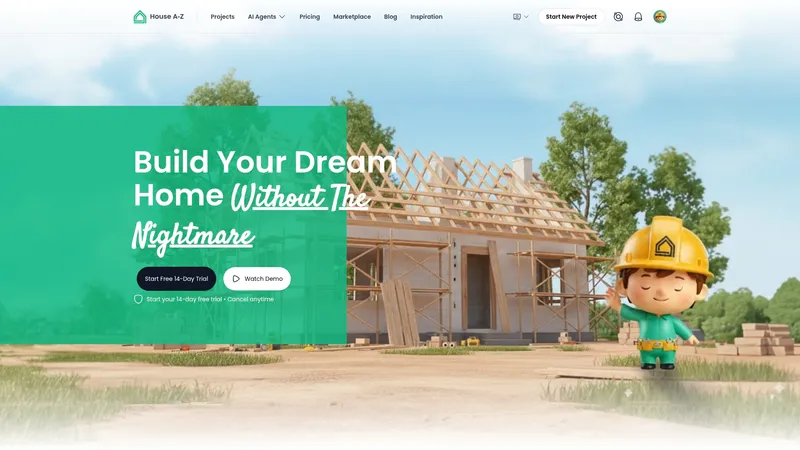
The vendor advertises user testimonials claiming clients avoided up to €20K in potential errors through better planning. House A‑Z centralises budget tracking, design suggestions and project coordination in one interface rather than scattering tasks across spreadsheets and separate apps. Its mobile apps keep plans and conversations accessible on site and on the move.
Core Features
- Interactive planning interface: an intuitive room builder for laying out spaces and visualising options.
- AI agents: analyses layouts, budgets and timelines to produce personalised recommendations and layout suggestions.
- Product browsing and progress tracking to log purchases, deliveries and on‑site milestones.
- Collaboration tools for sharing plans with contractors, plus built‑in budget management and expense tracking.
Key Differentiator
The platform’s AI suggestions that analyse both space and budget provide tailored recommendations rather than generic templates. That mechanism links proposed layouts to expected costs so design decisions carry immediate budget context rather than waiting for manual spreadsheet reconciliation.
Pros
- Onboarding is fast for first‑time builders because the interface is geared to non‑technical users and avoids complex project jargon.
- AI suggestions reduce guesswork by flagging layout choices that will blow the budget before contracts are signed.
- Collaboration features make contractor communication traceable so design changes and approvals live in one place, not in fragmented emails.
- Flexible pricing, including a free tier, lets you test planning features before committing to the Pro or Enterprise plans.
- Mobile support keeps expenses, progress notes and images tied to the correct room while you are on site.
Cons
- Not intended to replace heavyweight project management platforms; large developers requiring resource levelling and complex dependency graphs may still need a dedicated PM tool.
Who It Suits
First‑time home builders, renovators and small renovation teams that want guided planning and clearer budgets will find House A‑Z useful. It fits households and compact teams that prioritise design decisions linked to cost and prefer fewer separate apps.
Unique Value Proposition
Plans include a free tier and paid options starting at €29/month with Enterprise from €99/month, which lowers the barrier to trial. That pricing model lets hobby renovators test the AI analysis and collaboration features without a large upfront subscription commitment.
Real World Use Case
A couple used House A‑Z to collect mood boards, draft room layouts in the interactive builder and share those plans with their contractor. The contractor accepted changes in the app, expenses were logged against rooms and the couple say the process reduced planning errors — supporting the vendor’s €20K savings claim in testimonials.
Pricing
Free tier available for basic planning and collaboration. Pro plan costs €29/month and unlocks advanced AI suggestions and expanded budget tools. Enterprise begins at €99/month for multi‑project use and professional team access.
Website: https://a-z.house
HomeReally

At a Glance
AI-driven zoning analysis, AR visualisation and contractor bidding sit together in one homeowner-focused app targeted at ADUs and tiny homes. The platform advertises integrated financial modelling plus design tools so you can move from idea to managed build without stitching several apps together.
Core Features
HomeReally bundles several homeowner tools into a single workspace. Key capabilities include:
- DreamStream which turns inspiration photos into a mood board and starter layout.
- Magic Mirror for on-site AR visualisation so you see a proposed build on your property in real scale.
- AI General Contractor that helps co-ordinate bids, schedules and contractor communications.
Wealth Builder offers rental yield and value projections to test viability from the same interface.
Key Differentiator
The product’s selling point is the combination of zoning checks, visualisation and finance tools aimed at non-expert homeowners. That mix reduces the number of specialist tools you must use when planning an ADU or a small remodel and keeps planning data in one place.
Pros
- Simplifies planning by automating zoning analysis and bringing municipal data into the workflow which saves discovery time.
- Combines design and approvals so you can test aesthetics with Magic Mirror before committing to detailed plans.
- The contractor management features consolidate bids and schedules which reduces back and forth across email and spreadsheets.
- Visual tools and 3D walkthroughs make stakeholder conversations easier for owners who do not read plans daily.
- Financial projections let you compare rental yield versus construction cost early in the decision process.
Cons
- Publicly available user reviews and independent case studies are sparse which makes third party validation harder to find.
- Core support and features appear focused on ADUs and tiny homes which means full custom builds may find some capabilities immature.
- Several advanced features will have a learning curve for first time homeowners who have not used AR or project management apps before.
When It May Not Fit
If you plan a large custom build with complex structural engineering needs you will likely outgrow the current toolset. The vendor lists broader home types on its roadmap which suggests heavier projects are not the priority today.
Municipal zoning accuracy depends on local datasets. If your council publishes minimal or inconsistent data the zoning checks will be less reliable than a paid consultant’s survey.
Notable Integrations
HomeReally connects to property and mapping sources used in planning and cost estimating. Integrations include:
- ATTOM Data
- Mapbox
- RSMeans
- Regrid
- Matterport
These integrations support address level data, cost references and 3D capture workflows.
Who It's For
Homeowners, first time builders and DIY renovators planning ADUs or modest remodels who want an all in one toolset. It suits owners who prefer to manage bids and budgets themselves rather than hand everything to a general contractor.
Real World Use Case
A homeowner analyses their backyard for an ADU, generates AI produced floor plans, overlays a Magic Mirror view on site and solicits three contractor bids through the platform. They track budget items in Wealth Builder and monitor schedule updates from the AI General Contractor while construction proceeds.
Pricing
Start free with basic planning and visualisation features. The vendor positions paid upgrades for later stages of permitting and construction management which unlock advanced bidding and financial modelling tools.
Website: https://homereally.com
Homer

At a Glance
Homer's marketing materials state availability in over 100 countries and a 4.9-star rating in 2025. The app positions itself as a digital home binder that consolidates manuals, receipts and maintenance records while adding AI tools to reduce manual data entry.
Core Features
Homer centralises home records with home inventory management that uses AI autodetection to recognise items from photos. It stores manuals, warranties and receipts automatically and keeps a searchable timeline of repairs and improvements.
The app can generate professional floor plans from a phone scan and offers real time home valuation and market insights for owners and investors.
Key Differentiator
Homer's defining capability is its AI powered automatic interpretation of photos, documents and receipts. That feature turns messy paper, slow typing and ad hoc photo folders into structured entries that link items, warranties and service history to a single property record.
Pros
- The interface is praised for being simple and organised, which shortens the time needed to get a complete home record.
- AI features reduce manual entry by auto tagging items and extracting dates from receipts, saving hours during initial setup.
- Cloud based storage makes documents accessible on mobile devices anywhere, useful when you need a warranty or appliance manual on site.
- The bundle of tools covers inventory, renovation tracking, floor plans and valuation, so owners and small property managers do not need multiple apps.
- Multi language support and a clean visual design help families and international owners adopt the app quickly.
Cons
- Independent, third party reviews and in depth analyses are limited, which leaves some claims without outside verification.
- Several advanced functions are locked behind a premium subscription, so full capability requires ongoing payment.
- The depth of features may be more than a casual owner wants, creating setup time that outweighs immediate benefit for light use.
When It May Not Fit
If you want software backed by extensive independent testing or analyst reports, Homer may disappoint because independent validation is scarce. If you only need a lightweight checklist for routine maintenance, the app's fuller toolset may feel like overkill.
If you prefer an entirely free experience with all features unlocked, note that advanced tools in Homer require a subscription upgrade.
Who It's For
Homer suits homeowners who want a single source of truth for a property and property managers juggling a few homes who need centralised documents and service histories. It also fits owners preparing a sale who value quick access to valuations and professional floor plans.
Real World Use Case
A homeowner scans receipts and photographs new appliances. The app auto tags items, links warranties and schedules maintenance reminders. When a contractor asks for a model number weeks later, the information is already organised and shared from the property record.
Pricing
Homer is available as a free app with optional premium subscription for advanced features. The vendor sells the product as a SaaS on iOS and Android, with extra tools reserved for paid users.
Website: https://homer.co
HomeManager
At a Glance
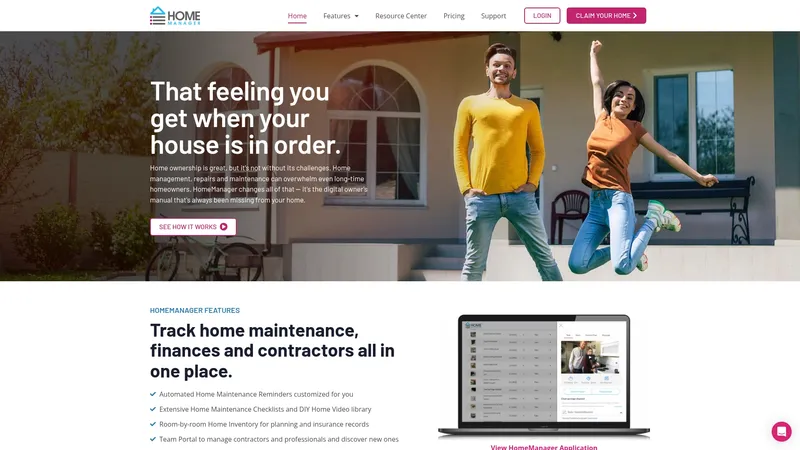
HomeManager organises maintenance reminders, budget forecasting, home inventory and a contractor portal into a single digital owner's manual for a property. The platform offers a free basic tier and a paid Premium Plus plan at $8 per month or $80 per year. It targets homeowners, property managers and real estate professionals who want a single place for records and routines.
Core Features
Automated home maintenance reminders for seasonal and manufacturer-recommended tasks, delivered as scheduled nudges and checklists.
Extensive maintenance checklists and DIY videos that walk you through routine repairs and safety tasks step by step.
Home financial summary that tracks home value, recurring costs and a simplified budget forecast for upkeep.
Home inventory management to catalogue possessions, attach receipts and collate documentation for insurance claims.
A contractor portal to manage contacts, share task lists and document work related to maintenance projects.
Key Differentiator
The product brings maintenance scheduling, financial tracking, inventory records and contractor coordination together as a digital owner's manual. That single-format approach reduces the number of apps you consult when managing a property and creates a persistent record you can hand over to a buyer, tenant or manager.
Pros
Broad toolkit. The combination of reminders, videos, checklists and document storage helps homeowners keep routine upkeep visible rather than scattered across email and spreadsheets.
Generous entry point. A free basic tier lets a new homeowner try core features before committing to a paid plan.
Practical insurance support. The inventory and receipt attachment workflow is useful when preparing a claim or compiling documentation for a surveyor.
Contractor coordination. The portal centralises service contacts and ties them to tasks so you do not lose warranties or receipts in inboxes.
Cons
Limited independent feedback. There is little third party review content available to verify user satisfaction beyond the vendor materials.
Integration gaps. The product data does not list third party integrations which may limit automation with accounting or smart home platforms.
Feature depth. The interface leans towards homeowner simplicity rather than advanced property management features such as bulk invoicing or multi-property tenancy workflows.
When It May Not Fit
If you run a portfolio of rental properties that needs bulk billing, tenancy ledgers and deeper reporting, this tool will feel lightweight. If your workflow depends on synchronising with accounting software or smart home APIs, the lack of listed integrations is a likely blocker. Also expect limited public reviews when you research peer experiences.
Who It's For
Homeowners and small property managers who prefer a single, centralised place for upkeep, receipts and contractor contacts. It suits first-time owners who want guided checklists and DIY video help and professionals who need an organised record to hand clients or buyers.
Real World Use Case
A first-time homeowner sets up seasonal reminders, uploads appliance receipts and builds an inventory before renovating a kitchen. When a contractor is hired the homeowner shares the job details through the portal and keeps warranty documents attached to the project for future reference.
Pricing
Free for basic features. Premium Plus is $8 per month or $80 per year with discounts for annual billing and options for gifting memberships. The paid plan unlocks document storage, budget forecasting and expanded DIY content.
Website: https://homemanager.io
**Competitor eligibility:** - Excluded products (discontinued / inaccessible / under construction): none - Usable competitors remaining: ["HomeReally", "Homer", "HomeManager"]Intro pre-write:
- Does a-z.house clearly outpace every usable competitor on a single dimension? NO
- If YES: dimension where a-z.house wins - N/A
- If NO: best tradeoff dimension for the primary reader - "Customised integration of budget and design assistance vs feature specialisation in property maintenance and inventory management capabilities"
- First sentence draft: "Selecting an appropriate platform for home renovation and design projects involves aligning its features with the specific needs of the user. Each option examined provides its unique approach, which we will analyse below."
Competitor win pre-write:
- Which competitor wins which dimension: HomeManager wins "routine maintenance reminders and insurance claim preparation" because it provides checklists and receipt management.
- Does this dimension matter to the primary reader? YES
Best Fit uniqueness check:
- List each bullet scenario in one clause: "First-time homeowners seeking design-centric planning" / "ADU planners looking for automated zoning guidance" / "Individual property owners wanting maintenance reminders"
- Can any two be swapped without changing meaning? NO
Our Pick pre-write:
- The ONE capability unique to a-z.house in this set: "AI-based suggestions integrating layout design with budgetary constraints."
- Evidence from the reviews: "House A-Z centralises budget tracking, design suggestions and project coordination in one interface"
- Closing sentence draft: "House A-Z aligns design aspects with budget control, a feature that often appeals to those creating or refurbishing personal spaces requiring tailored management solutions."
- Substitution test: "If substituted, claim only partially aligns with alternatives like HomeReally which does not integrate this to the same extent."
- Does the substituted version still work as a recommendation? NO
{"text":"## Comparing Renovation and Design Platforms
Selecting an appropriate platform for home renovation and design projects involves aligning its features with the specific needs of the user. Each reviewed option offers distinct solutions related to planning, management, and execution.
Budget Coordination and Design Integration
House A-Z provides remarkable capabilities by consolidating budget monitoring, design input, and project supervision into a single interface. For budgets that tightly integrate with design decisions, such features prove, allowing real-time cost assessments during the planning stage. This contrasts with Homer, which focuses more on inventory management and aiding valuation processes, making it ideal for after-renovation organisation rather than real-time project integration.
Specialised Use Cases
For users prioritising guided adherence to zoning regulations or financial yield projection, HomeReally stands as a compelling choice by coupling zoning checks with a AR visualisation tool. Its tailored applications towards Additional Dwelling Units (ADUs) distinguish it from HomeManager, which emphasises routine upkeep with features such as maintenance scheduling and contractor management tools. Each of these platforms caters to specific aspects of property ownership, providing value within their narrower scopes.
Best Fit Scenarios
- House A-Z: Ideal for first-time homeowners or renovators who need combined budget-aware planning tools with contractor collaboration capabilities.
- HomeReally: Appropriate for individuals designing ADUs or homes needing zoning compliance supported by advanced visualisation tools.
- HomeManager: Beneficial for homeowners looking to streamline maintenance, inventories, and contractor records for better long-term property management.
Our Pick
House A-Z emerges as the most fitting recommendation for users overseeing renovation or building processes who would gain from integrated budget and design coordination tools. Its features encourage structured planning, ensuring cohesive and efficient project progress. However, for those focused solely on post-renovation maintenance, competitors like Homer and HomeManager present better-tailored solutions for those particular needs."}
Home Renovation Project Management and Design Tools Comparison
Discover which platform aligns best with your project goals by evaluating the features, pricing, and target audiences of each option.
| Product | Key Differentiator | Best For | Pricing | Notable Limitation |
|---|---|---|---|---|
| House A-Z | AI-driven layout and budget recommendations | First-time builders needing guided assistance | Free tier, Pro €29/month, Enterprise €99/month | Less suited for complex multi-project management |
| HomeReally | Combined zoning, visualisation, and finances | ADU and tiny home projects | Free tier, Pricing for advanced features undisclosed | Focused more on compact, less complex constructions |
| Homer | AI-powered inventory and record management | Homeowners organising property documentation | Free tier, Premium subscription price unspecified | Limited independent validation and requires premium for advanced tools |
| HomeManager | Comprehensive digital owner's manual | Small-scale property managers | Free tier, Premium $8/month or $80/year | Lacks integrations with accounting or smart home platforms |
Discover a Better Path Among homereally.com Alternatives
Planning an ADU or home renovation can feel daunting when juggling zoning, budgeting and contractor communications across multiple tools. If you are searching for homereally.com alternatives that keep your project simple yet thorough consider how House A-Z tackles your core challenges. With an intuitive interface designed specifically for first-time builders and renovators House A-Z combines budget tracking, design planning and AI suggestions in one platform.
Key benefits include:
- AI-driven budget alerts that help you avoid costly layout mistakes
- Centralised communication with contractors to keep approvals and changes organised
- Mobile apps that keep your plans and expense tracking accessible on site
Explore House A-Z and see how easily you can draft customised layouts with real-time budget context. Take control now by starting your plan with AI-powered insights that have helped users save up to €20K in potential errors.
Frequently Asked Questions
How does House A-Z support budget tracking for home renovation projects?
House A-Z features built-in budget management and expense tracking that logs purchases, deliveries, and on-site milestones in one interface. This user-friendly system eliminates the need for scattered spreadsheets, centralising all financial data relevant to your renovation. Users can better manage their finances and avoid overspending by utilizing this comprehensive budget tracking feature.
What is the difference between House A-Z and HomeReally for renovation projects?
HomeReally excels in its AI-driven zoning analysis and AR visualisation, allowing users to see proposed builds on their property in real scale. In contrast, House A-Z's strength lies in its interactive planning interface and AI suggestions that provide tailored recommendations linking layouts directly to costs. Users focused on design and budget management will find House A-Z more conducive to their needs.
Which platform offers collaboration features for sharing plans with contractors?
House A-Z includes collaboration tools that facilitate sharing plans directly with contractors, making communication traceable and keeping all project changes in one location. This integration enhances coordination, ensuring that design changes and approvals are managed efficiently. Readers engaging in renovation projects can expect streamlined communication and improved oversight of contractor interactions.
Can I use House A-Z for large custom builds or complex projects?
House A-Z is not specifically designed for large custom builds as it focuses more on first-time home builders and smaller renovation teams. Users with complex project requirements may need to complement House A-Z with a dedicated project management tool that can handle resource levelling and complex dependency graphs. This understanding allows users to adjust their toolset according to the intricacies of their project needs.
How can House A-Z's AI suggestions help avoid budget overruns during renovations?
House A-Z's AI suggestions proactively analyse layouts, budgets, and timelines to flag potentially expensive design choices before contracts are signed. This feature is crucial for first-time builders or renovators who may not have extensive experience managing project finances. Using this tool can significantly lower the risk of unexpected costs, making it an ideal option for budget-conscious homeowners.