


Coordinating ideas, budgets, and contractor decisions often becomes confusing when planning a home build or renovation. Many platforms restrict advanced tools to higher tier plans, keep pricing hidden until sales contact, or lack integrated AI guidance for first time builders. This comparison outlines features, plan controls, and pricing for six alternatives so you can match each platform to your project's requirements and your experience level.
Table of Contents
Buildertrend
At a Glance
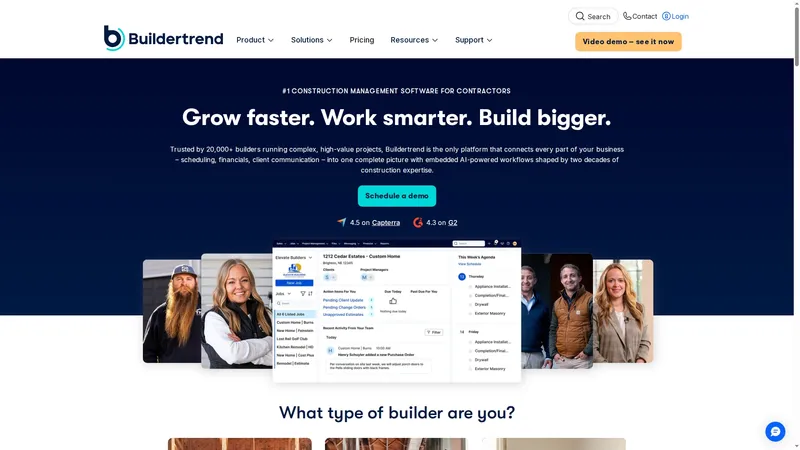
Buildertrend reports more than 20,000 construction professionals use the service. The platform bundles lead management, estimating, scheduling, change orders, and client portals into a single, mobile-accessible system. Its pricing is delivered as tailored quotes rather than published tiers. That model suits firms seeking a bespoke deployment.
Core Features
Buildertrend centralises leads, projects, and finances so office and site teams share the same records. The product includes estimating and job costing, project scheduling with daily logs, and client and subcontractor portals for messages and document exchange. A mobile app supports on-site updates and change order handling while warranty tracking keeps close on aftercare.
Key Differentiator
Buildertrend positions itself as an all in one construction management solution combining sales, project management, financial tracking, and client communication with full mobile access. This focus on end to end contractor workflows suits established builders managing many projects. House A-Z targets first time builders and renovators, so Buildertrend serves a more operationally mature audience.
Pros
The platform covers sales through to close of project which reduces data reentry between systems. Unlimited users and projects are included in the subscription which simplifies licence planning for multi‑site firms. The mobile app keeps site teams aligned with office staff, and the vendor provides training and support resources for onboarding and continued use.
Cons
There is a noticeable learning curve for new users, especially for teams moving from spreadsheets.
Pricing requires direct consultation and is not published, which complicates quick cost comparisons.
Integration setup can be complex depending on existing accounting or payroll systems.
When It May Not Fit
Buildertrend may not fit sole traders or very small remodelers who need a simple, low cost tool. Firms that must see transparent list pricing before engagement will find the tailored quote model inconvenient. Projects that require lightweight design inspiration rather than construction workflows will find the feature set too operationally focused.
Notable Integrations
QuickBooks for accounting synchronization.
Xero for cloud accounting workflows.
Gusto for payroll connections.
Home Depot Pro Xtra for supplier and procurement links.
Who It's For
The product suits mid to large sized construction firms, remodelers, and subcontracting businesses that manage multiple concurrent projects. It favours organisations that need centralised financial tracking, coordinated scheduling across teams, and a client portal for homeowner communication. Businesses that budget for onboarding get more value.
Real World Use Case
A residential builder uses Buildertrend to coordinate subcontractor schedules and share progress with homeowners through the client portal. Change orders are processed digitally and logged against job cost. The team tracks profitability per job which helps identify where margins tighten.
Pricing
Buildertrend provides tailored quotes rather than public pricing tiers. Prospective customers must contact the vendor for a proposal that reflects business size and feature requirements. That approach suits firms that need customised packages.
Website: https://buildertrend.com
buildNest
At a Glance
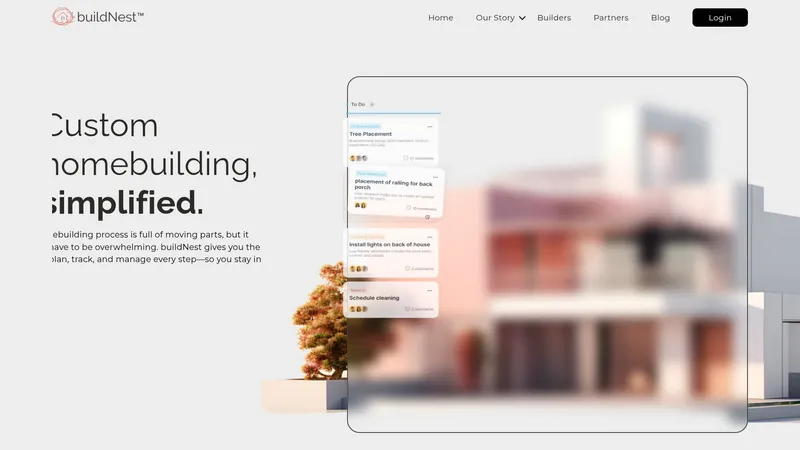
Organises every step of a custom homebuild in one accessible place, including budgets, milestones, and contractor approvals. The platform supports real-time decision making and progress tracking to keep homeowners and builders aligned. That single-place approach aims to reduce confusion across handovers and approvals.
Core Features
buildNest bundles task management, budget tracking, and document handling so teams can keep tasks and approvals visible. It offers Budget tracking that reports costs as they occur and Real-time collaboration for approvals and file sharing between homeowners and contractors. Contractor and vendor coordination sits alongside Progress tracking so milestones and dependencies stay clear.
Key Differentiator
The product positions itself as an all-in-one solution that organises the entire homebuilding process and builds trust among stakeholders. That end-to-end focus places project planning, cost control, and contractor communication inside one interface rather than separate apps. The result aims to create clearer ownership and fewer missed decisions during construction.
Pros
The interface helps you keep schedules, approvals, and budgets visible to everyone involved. Real-time updates reduce the need for long email threads and repeated phone calls. buildNest centralises contractor and vendor details so you can match invoices and milestones to tasks quickly, cutting administrative friction.
Cons
- Some users report a learning curve with the platform. This can slow adoption on projects where teams expect immediate familiarity.
- Detailed information on external system integrations is limited. That lack of clarity may complicate workflows for teams relying on existing accounting or CRM tools.
- As a newer product, some advanced customisation options may still be under development. Power users seeking deep configurability could find current settings restrictive.
When It May Not Fit
If you already rely on a mature set of construction tools and require guaranteed integrations, buildNest may not slot in easily. Projects that demand highly custom workflows or deep API connectivity could find the platform limiting until more integrations appear. Teams that need extensive, proven customisation may prefer an established project management system with documented connectors.
Who It's For
Homeowners managing a custom build who want clearer visibility into costs and milestones will find this useful. Builders coordinating client-facing work and subcontractors benefit from the single place for approvals and documents. Partners offering a guided homebuilding process can use it to present a consistent workflow to clients.
Real World Use Case
A homeowner uses buildNest to map every trade and approval across the build, assigning tasks to contractors and uploading plans for approval. The builder updates progress daily and flags cost changes in the budget tracker so the homeowner sees the impact immediately. That shared record keeps miscommunications low and change orders traceable.
Pricing
Not applicable — informational only
Website: https://buildnest.ai
Buildern
At a Glance
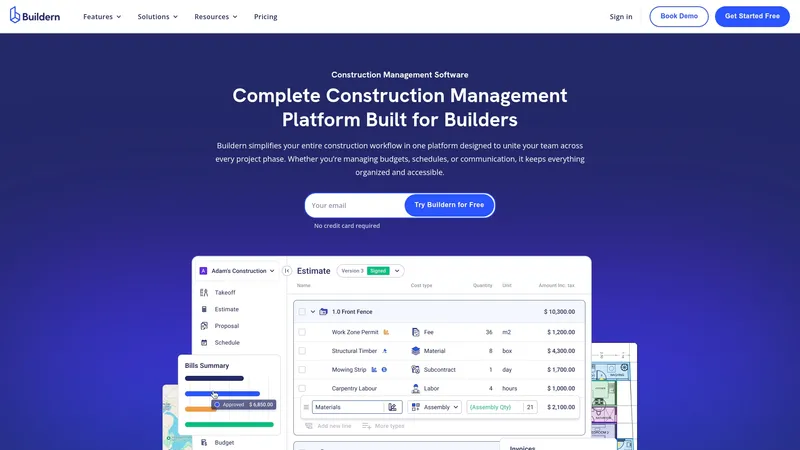
Weekly updates driven by builder feedback shape Buildern's product roadmap. That cadence means feature requests from contractors appear in release notes on a regular basis. The platform bundles estimating, scheduling, budgeting, billing and client portals into a single interface aimed at construction teams.
Core Features
Buildern combines estimating and digital takeoff tools with scheduling and budget tracking so teams keep cost and timeline data linked. Financial management includes AI-assisted billing and ready connections to accounting packages. Built in messaging and document sharing provide separate portals for clients, subcontractors and vendors.
Key Differentiator
The product stands out for its builder driven release cycle that delivers weekly improvements and feature tweaks. That model keeps the interface aligned with contractor workflows and priorities. It suits teams that prefer rapid iteration and short feedback loops.
Pros
Buildern presents a user friendly interface that needs little training for common tasks. Regular weekly updates mean the tool adapts quickly to field feedback and reported pain points. Strong ties to accounting software reduce duplicate data entry by linking estimates and billing to QuickBooks or Xero. The platform covers scheduling, cost tracking and communication in one place, which helps centralise project files and client conversations. Pricing is transparent and the vendor advertises no hidden fees.
Cons
- New users report a learning curve on advanced features. Training time may be needed for estimating or complex financial workflows.
- Customisation options for highly specialised workflows are not detailed publicly. Teams with bespoke processes may require confirmation from the vendor.
- Pricing that scales by seat can become costly for very large teams. Adding many seats increases monthly spend.
When It May Not Fit
If your firm depends on heavy bespoke automation or unusual approval chains, Buildern may lack the deep customisation required. If you need a platform that tracks billable time in detail, this does not advertise time tracking as a core capability. Very large enterprises constrained by per seat pricing should review total cost before committing.
Notable Integrations
Buildern integrates with QuickBooks and Xero for accounting and invoicing. These connections help move estimate and billing data into your existing finance system. Data migration support is available to bring legacy project records into the platform.
Who It's For
Construction professionals and project managers looking for an all in one construction management tool will find Buildern relevant. Residential builders and remodelers will appreciate linked estimates and client portals. Commercial contractors running multi site projects can use the scheduling and financial controls.
Real World Use Case
A residential builder uses Buildern to create digital takeoffs, convert those figures into estimates, and share proposals with clients through a portal. Subcontractor messaging and document sharing reduce email back and forth. The team closes projects with clearer cost records and fewer billing disputes.
Pricing
Starter plans begin at $250 per month with additional seats at $90 per month. Higher tiers listed at $400 per month and custom enterprise plans are available for larger requirements. Confirm seat counts and feature sets before selecting a tier.
Website: https://buildern.com
BuildTools
At a Glance
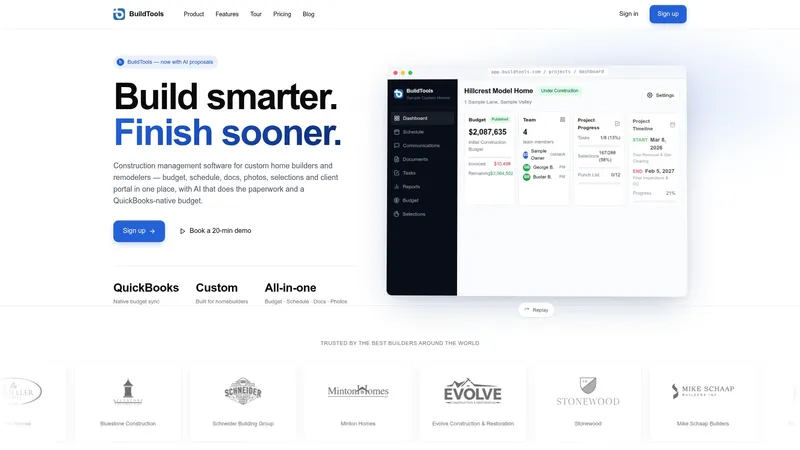
Live, version controlled budgets that sync with QuickBooks are central to this product. The platform pairs schedule Gantt charts, document and photo management, and a client portal within one builder focused workspace. Recent additions include AI powered drafting for change orders, RFIs, scopes of work, and client emails.
Core Features
Budget management ties directly to QuickBooks native accounts so budgets remain aligned with accounting records. Schedule tools include drag and drop Gantt editing and critical path calculation for pacing complex residential builds. Document control supports markup, version history, searchable plan drawers, and field photo capture with auto tagging.
Key Differentiator
The standout feature is the AI powered drafting of project paperwork combined with project intelligence surfaced inside a builder focused interface. That capability attempts to reduce admin time by producing draft change orders, RFIs, and client communications from brief prompts. The platform keeps those drafts connected to selections, allowances, and live budgets.
Pros
BuildTools is purpose built for custom builders and remodelers, which shows in its contractor friendly workflows and terminology. The AI features draft paperwork and highlight project risks, which can cut repetitive admin work and surface attention points. An integrated client portal and the QuickBooks native budget sync reduce data duplication and improve transparency across teams.
Cons
- Pricing information is temporarily unavailable for new subscribers, which makes budgeting ahead of purchase difficult.
- The public details about AI proposal customisation and accuracy are limited, so you may need hands on testing before relying on it for critical documents.
- Projects with major commercial scope or highly complex non residential workflows may find the feature set focused on residential builders.
When It May Not Fit
If you need published pricing to compare against alternatives, this product may frustrate your procurement timeline. Organisations managing large scale commercial construction will likely miss specific non residential features. If your team requires documented AI accuracy metrics before purchase, the available information may not satisfy that need.
Notable Integrations
- QuickBooks for live budget sync and financial reconciliation.
Who It's For
This product suits custom home builders and remodelers who want a single system for budgets, schedules, documents, and client communication. It fits teams that prefer contractor shaped workflows rather than generic project tools. It also appeals to builders ready to trial AI assisted paperwork to reduce administrative load.
Real World Use Case
A mid sized residential builder uses BuildTools to keep budgets live with accounting and to centralise photos and plans. The team manages selections and generates change orders via AI drafts, which reduces turnaround on client approvals. Project administrators report fewer manual entries between spreadsheets and QuickBooks.
Pricing
Pricing is currently not publicly listed and appears unavailable for new subscribers. That lack of published rates will require direct contact to obtain a quote or current subscription terms. Prospective customers should request pricing and contract details before planning procurement budgets.
Website: https://buildtools.com
Procore

At a Glance
Procore includes unlimited users and storage in its subscription. The vendor advertises FedRAMP compliance for government projects. That combination makes Procore a fit for large contractors and public agencies rather than first time builders using House A-Z.
Core Features
Procore connects office and site teams across project management, cost control, safety, and quality. The platform adds AI powered tools for automation and insights and lets teams adapt workflows and layouts to project needs. Real time analytics sit alongside integrations with over 500 third party apps so data flows between bidding, budgeting, and field updates.
Key Differentiator
Procore targets large and complex builds with a single, AI enabled construction platform and an unlimited user model. That model supports multiple projects and many stakeholders without per user fees. The offering therefore serves enterprise contractors and government work more than small renovation teams using House A-Z.
Pros
The platform scales for multi project programmes while keeping users on the same dataset. That offering covers preconstruction, bidding, cost management, field reporting, and closeout so teams need fewer point solutions. Strong security and compliance measures suit public sector contracts. Broad integration support and flexible customisation allow teams to connect scheduling tools, accounting systems, and document workflows. Global community resources and 24 7 support are available for implementation and ongoing questions.
Cons
Pricing is volume based and can be complex to estimate without a sales consultation.
Implementation and ramp up often require dedicated training and onboarding for field teams.
Customisation options can feel heavy for new users and add configuration time.
When It May Not Fit
Procore may be too large for small teams running single, low value renovations. The subscription model can be costly for very small projects or organisations with tight budgets. Teams that want minimal setup and simple tools may find the platform more than they need.
Notable Integrations
Procore integrates with Bluebeam, Microsoft Project, Oracle Primavera P6, Sage 100 Contractor, Smartsheets, and Zoom. These connections help tie scheduling, estimating, and document review into the project record. The breadth of integrations makes it straightforward to maintain existing software choices while centralising project data.
Who It's For
Construction companies, owners, and government agencies running medium to very large projects will get the most value. If you manage multiple simultaneous sites and large teams, Procore reduces fragmentation across schedules and budgets. It suits organisations prepared to invest in training and governance.
Real World Use Case
A multinational contractor used Procore to unify communication, optimise workflows, and gain real time insights across several projects. Project managers could compare cost performance and safety reports from site teams in the same dashboard. That visibility helped reduce schedule slippage and surface risks earlier.
Pricing
Procore uses a volume based pricing model scaled to construction volume, with unlimited users included in the subscription. Exact costs depend on the product suite and project scale and typically require a quote from sales. Smaller teams should request a clear scope and breakdown before committing.
Website: https://procore.com
Comparison of alternatives
Planning a successful home renovation or custom build involves juggling design choices, budgeting constraints, and project coordination—all tackled uniquely by House A-Z while being complemented by competitors within specialised areas.
Streamlining project visualisation and budget monitoring
House A-Z excels with its AI-driven design advice and budgeting tools optimised for individual homeowners or small-scale contractors. It provides dynamic suggestions accounting for user-selected materials, ensuring alignment with financial constraints. In contrast, buildNest focuses on collaborative project tracking, ideal for maintaining transparency across milestones but less equipped for in-depth budget adjustments tailored to variations in selection.
Handling operational projects at various scales
For mid-size or larger construction firms, Buildertrend and Buildern emphasize project scheduling and financial features. Buildertrend provides client and subcontractor portals to centralise communication, while Buildern's integration with tools such as QuickBooks simplifies financial oversight when managing extensive accounts. Procore stands out specifically for enterprise environments, supporting universal access with its unlimited user framework. In addition, its compliance with high-security standards is ideal for federated and government-driven construction initiatives, which may exceed smaller project needs.
Best fit
- Homeowners seeking an AI-supported platform tailor-made for visualising layouts and aligning design choices with strict budgetary controls will benefit most from House A-Z.
- Mid-size contractors looking for combined financial tracking and scheduling, especially those relying on software integrations like QuickBooks, will align with Buildertrend's structured solutions.
- Teams requiring rapid iteration and real-time client portal features for designs and approvals may prioritise Buildern.
- Organisations with an established technological infrastructure that need simple integration without overhauling their tools will benefit from buildNest.
- Large enterprises needing extensive scalability and support for massive operations or governmental projects should evaluate Procore for its unlimited user model and broad integration ecosystem.
Our pick
For first-time home builders and renovators, House A-Z is due to its AI-driven capabilities streamlining design and budgeting in intuitive ways distinctive from competitors. While larger firms or those with dedicated construction teams may gravitate toward solutions like Procore or Buildertrend, House A-Z remains the choice for individual endeavours requiring clear, guided decision-making. This targeted assistance effectively reduces complications not addressed by enterprise-scale platforms.
Organising your next homebuilding or renovation project is made simpler with these platform options.
| Platform | Features | Key Differentiator | Pricing | Limitation |
|---|---|---|---|---|
| House A-Z | AI-powered design and budgeting | Tailored AI suggestions for cost and design | Free, Pro: €29/month, Enterprise: €99/month | Less suitable for complex commercial projects |
| Buildertrend | Estimating, scheduling, and client portals | All-in-one construction management for professionals | Pricing by quote | Learning curve with significant training required |
| buildNest | Task and budget management | Centralised homebuilding processes | Price not published | Limited integrations and advanced customisation |
| Buildern | Estimating and AI-assisted billing | Builder-driven frequent updates | Starter: $250/month | Scalability can become costly for large teams |
| BuildTools | Budget management with AI features | AI-assisted project paperwork | Price not published | Limited AI customisation details |
| Procore | Cost control and safety features | Unlimited users and storage | Pricing by project volume | Setup and training are time-intensive |
Challenges of Planning with houzz.com Alternatives for First-Time Builders
Finding the right platform for your first build can prove confusing. This article highlights the struggle many face when juggling renovation budgets, design ideas, and contractor communication across multiple tools. For first-time home builders or renovators, this complexity often results in costly errors or delays.
House A-Z offers a dedicated solution tailored to these needs. It centralises budgeting, design advice, and timeline management into one accessible platform. Its AI agents provide personalised insights that identify potential cost overruns and suggest smarter material choices. Users report savings up to €20,000 by spotting mistakes early and collaborating effectively with contractors.
If you are a first-time builder aiming to keep your project organised and budget safe, visit House A-Z to explore how this platform can simplify your planning process and help you finalise your renovation with confidence.
FAQ
How does House A-Z facilitate budgeting for homebuilding projects?
House A-Z offers budget tracking and optimisation tools that help you manage costs effectively throughout your project. These features include the ability to monitor progress and streamline your budget in real- time. By utilising these tools, you can prevent costly mistakes and stay within your financial limits.
What is the difference between House A-Z and Buildertrend?
Buildertrend provides a comprehensive all-in-one construction management solution tailored for established builders managing multiple projects. In contrast, House A-Z focuses on first-time home builders and renovators, offering personalised AI assistance for design and budgeting. For someone new to home construction, House A-Z may be the better fit.
Which platform offers better real-time advice during home renovation?
House A-Z features AI agents that provide tailored advice on design, budget, and materials, making it exceptionally user-friendly for first-time builders. This capability allows homeowners to make informed decisions quickly during the renovation process, as the AI considers preferences and space constraints.
Can I access House A-Z for free?
House A-Z has a free tier that allows users to access basic planning and collaboration tools. This option is particularly beneficial for those starting their first homebuilding project without the need for immediate financial commitment.
How does House A-Z manage complex projects?
House A-Z maintains readability by grouping ideas, costs, and timelines in one view, which is advantageous for managing complexity. This approach enables users to see the big picture, reducing confusion as decisions are made throughout the project.