
Managing budgets, schedules, and team communication across construction projects requires too many separate tools. Many platforms demand high up-front costs, restrict useful integrations, or lack homeowner-centred workflows. This comparison covers price, collaboration features, and project control across five construction project management platforms so you can select the software that best fits your project scale and process.
Table of Contents
Buildertrend
At a Glance
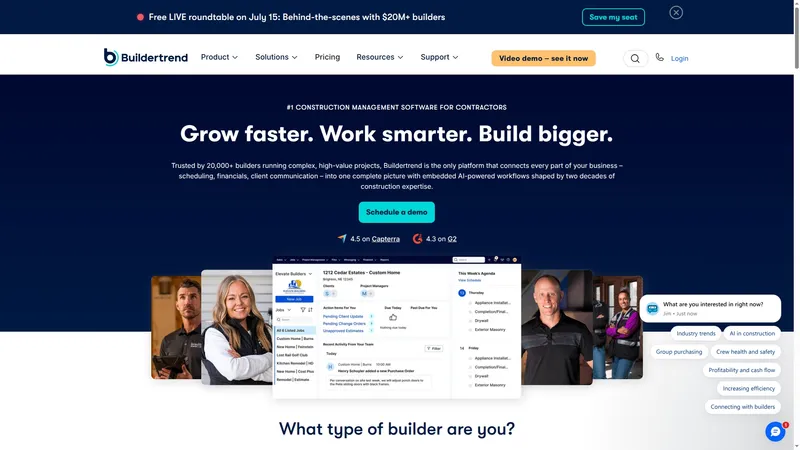
Buildertrend reports it is used by over 20,000 builders worldwide. The product brings sales, project execution, financials, and client communication into a single AI powered system. Mobile apps and third party integrations extend access to the field and accounting teams.
Core Features
Buildertrend handles lead capture, proposals, and email marketing under sales management and links proposals to job records. Project tools include scheduling, daily logs, change orders, and document sharing while a customer portal gives clients direct visibility into progress. Financial features cover estimates, job costing, billing, and payments and connect those records to accounting systems.
Key Differentiator
Buildertrend focuses on unifying every stage of a construction business from lead capture through to invoicing and client updates. The platform uses AI powered workflows to coordinate sales, site operations, and finance so teams do not manage separate silos. That single system focus suits firms that want fewer disconnected tools across departments.
Pros
Strong project and financial features reduce context switching on complex jobs, and the mobile app improves field access to schedules and logs. That figure from above supports a wide set of third party connectors and industry tools, which simplifies bookkeeping and payroll integration. Built in client communication via the customer portal helps reduce follow up calls and clarifies scope changes.
Cons
Steep learning curve for new users, which can delay adoption on tight schedules.
Cost can be a concern for smaller firms. Pricing may exceed single project budgets for startups.
Several features add configuration overhead and can overwhelm teams running a single job.
When It May Not Fit
The product is primarily suited to firms handling multiple projects rather than sole traders or single project owners. Teams with only one or two builds a year will likely find the feature set more than they need. Smaller contractors on tight budgets should compare lighter tools first.
Notable Integrations
Connects to QuickBooks, Xero, Gusto, Sage Intacct, Pro Xtra, Salesforce, and HubSpot for accounting, payroll, and CRM workflows. These connections let accounting entries and payroll data flow without manual export and import steps. Integrations broaden the platform's appeal for offices already using those systems.
Who It's For
Established contractors, regional home builders, and general contractors who manage several projects at once will get the most from Buildertrend. Firms that need integrated sales, job costing, and client portals benefit from a single control point. Solo operators and very small firms should check the complexity and cost before committing.
Real World Use Case
A regional home builder used Buildertrend to schedule subcontractors, share daily logs, and give clients live updates via the client portal. The team also tied estimates to actuals for clearer job costing. The combined effect shortened turnaround times and improved visibility into margins.
Pricing
Pricing is not published publicly here. The vendor states pricing scales with firm size and chosen features, which can make costs higher for very small builders.
Website: https://buildertrend.com
buildNest
At a Glance
A focus on transparency and real-time budget control drives buildNest's design. The platform brings homeowners, builders, and industry partners into a single workflow for custom home projects. It promises clearer communication, visible costs, and guided milestones to reduce misunderstandings during a build.
Core Features
buildNest combines task management and guided, step-by-step project management so every milestone and dependency is visible to stakeholders. The platform includes budget tracking and real-time collaboration for approvals, updates, and document sharing. Contractor and vendor management centralises communication so builders and homeowners see the same schedule and expense records.
Key Differentiator
The defining feature is a single environment that pairs collaboration with real-time budget control. That pairing targets the trust gap between homeowners and builders by making costs and progress transparent. The approach suits projects where collaboration and shared visibility matter more than isolated tools.
Pros
The platform gives a unified workflow that aligns schedules, documents, and financials, reducing duplicated effort across emails and spreadsheets. Its emphasis on transparency improves communication among homeowners, builders, and contractors and reduces disputes over scope or invoices. By combining task tracking with budget visibility, buildNest aims to help teams spot overruns earlier and keep projects on plan.
Cons
- Limited independent reviews are available, so the platform's real-world reliability is not widely documented yet.
- Interface specifics and feature depth are not detailed in the source material, which makes user experience unclear.
- There is no explicit list of integrations with construction or financial software, which may force manual work for some teams.
Who It's For
Homeowners who want clearer oversight of costs and milestones will find the platform relevant. Builders who want to centralise communication and present clients with a transparent record will benefit. Real estate agents and construction partners offering coordinated services can use buildNest as a shared reference point.
Real World Use Case
A homeowner uses buildNest to map the entire build schedule, assign approvals to the architect and builder, and attach supplier invoices to budget lines. Contractors update task completion in the system so the homeowner sees progress without repeated emails. The result is fewer disputes and a tighter link between spending and project milestones.
Pricing
Pricing information is not listed. The product entry is informational only and does not include published tier names or fees. Interested parties should contact buildNest directly for current pricing and commercial terms.
Website: https://buildnest.ai
Buildern
At a Glance
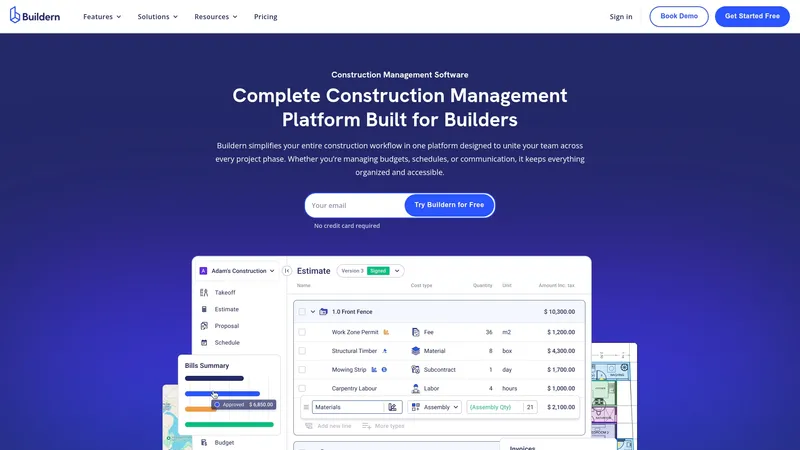
AI-powered billing automation flags invoice discrepancies during processing and reduces manual billing tasks. Buildern links digital takeoff to estimates to speed material quantification for bids. The platform covers residential and commercial projects and aims to keep office and site teams aligned.
Core Features
Buildern consolidates estimating, scheduling, budgeting, billing, and document management into a single platform that connects office and field workflows. It includes digital takeoff linked to estimates, real-time project tracking, client and subcontractor portals, and a mobile app for reporting from site. The vendor also offers migration support to move data from other tools and synchronises financials with QuickBooks and Xero.
Key Differentiator
Buildern brings project lifecycle tools together with collaboration and financial automation in one product. That combination reduces handoffs between estimating, site teams, and accounting. The result is fewer disconnected spreadsheets and clearer responsibility for cost events.
Pros
Buildern consolidates all core construction project tasks into one place, which reduces the number of separate tools project teams must manage. The collaboration focus helps minimise miscommunication between office staff and site crews and keeps updates visible in real time. Financial features including expense tracking and accounting synchronisation simplify month end and change order reconciliation.
Cons
- Initial setup and migration can require vendor support and time investment. Some teams report setup takes several days.
- Advanced features carry a learning curve for users new to integrated project and financial workflows.
- The base system may not cover highly specialised construction workflows without custom configuration.
When It May Not Fit
Organisations with very bespoke contracting processes may need customisation beyond the base product. Teams that require immediate, out of the box use with no onboarding may find the initial configuration onerous. Small sole traders who prefer single-purpose apps might find Buildern larger than they need.
Notable Integrations
Buildern connects to QuickBooks and Xero for accounting synchronisation. Those integrations keep invoices and expense data aligned with project budgets and supplier records.
Who It's For
Construction professionals who want a single place to manage estimating, schedules, and finances will find Buildern relevant. Project managers, estimators, accountants, and field staff who need shared visibility across stages benefit most. It suits mid sized builders managing multiple concurrent projects.
Real World Use Case
A mid sized general contractor uses Buildern to schedule tasks, track costs, and manage client and subcontractor communication. The contractor automates billing and reconciles change orders faster. That workflow reduces errors and improves client reporting.
Pricing
Buildern offers a free trial with no credit card required. Detailed pricing is available on request or via a tailored quote from the vendor.
Website: https://buildern.com
Renovai

At a Glance
Renovai splits its offering into two distinct products: Fiximate for homeowners and Fixiflow for renovation professionals. The company pairs machine learning models with industry data to help estimate costs and propose practical options. Renovai also emphasises sustainability and connecting homeowners with service providers.
Core Features
The platform includes an AI planning assistant that helps you estimate costs, compare solutions, and make choices for specific rooms and systems. It also provides workflow tools for project documentation, notifications, and team collaboration tailored to renovation professionals. Data integration helps link local market figures with project plans to give more realistic scoping and procurement cues.
Key Differentiator
Renovai’s main distinction is its combination of AI models and sector data to convert messy renovation variables into concrete planning outputs. That blend shortens the time spent creating cost scenarios and makes supplier and contractor matching more practical. The emphasis on both homeowner tools and pro workflows narrows the gap between early planning and on-site delivery.
Pros
Combines construction knowledge with AI to produce clearer cost estimates and solution options for specific works. The dual product approach means homeowners and professionals can access tools suited to their role and communicate using a shared set of project documents. The vendor highlights dedicated support and real-time notifications, which help keep clients and trades aligned across multiple projects.
Cons
- Limited independent third-party reviews make it hard to judge long term performance.
- No public pricing; plans are subscription and commission-based and may differ by market.
- Effectiveness depends on data quality and on users adopting new digital workflows.
When It May Not Fit
If your team resists new software, adopting Renovai will add overhead rather than save time. For projects where local cost data is poor or unavailable, the AI estimates will be less reliable. Organisations that need tightly regulated procurement controls may find the platform does not match their existing approval processes.
Who It's For
You are a homeowner who wants clearer cost estimates and design options before you contact trades. You are a renovation pro who needs a single place to manage client documents, notifications, and project stages. You are a small construction firm looking to convert enquiries into scoped quotes more quickly.
Real World Use Case
A homeowner uses Fiximate to compare three layout options for a kitchen, with itemised cost ranges and material notes. A construction company runs several jobs in parallel using Fixiflow, sharing schedules and snag lists with subcontractors and clients. That split keeps early planning separate from daily site coordination while using the same project data.
Pricing
Renovai does not publish fixed prices. The company indicates a mix of subscription plans and commission-based arrangements, which may vary by region and service level. Prospective buyers must contact Renovai for tailored pricing and engagement terms.
Website: https://renov.ai
Comparison of alternatives
These five platforms offer diverse functionalities for construction project management, each excelling in unique aspects catering to varied user needs. While they share common ground, such as budgeting tools and task management, their distinctive features cater to different consumer preferences and organisational requirements.
AI-assisted planning capabilities
House A-Z stands out with its AI-powered agents designed to assist first-time builders and renovators. These agents generate tailored recommendations for layouts and budgets, helping users avoid the typical manual reconciliation tasks. In contrast, Renovai also utilises artificial intelligence, focusing on clear estimation and renovation specificity but lacks a feature for delivering exportable plans ready for contractors.
Factors affecting adoption and utility
Buildertrend offers extensive workflows that integrate construction processes, from sales to project execution and accounting integration. Nevertheless, these expansive features come with a steep learning curve, which might present adoption challenges under tight project timelines. Buildern excels in bridging financial operations with on-site coordination, making it apt for medium-sized firms managing complex projects despite initial setup being relatively time-intensive.
Best fit:
- Homeowners without prior construction experience requiring guided layouts and budget estimations should consider House A-Z for its focus on minimising planning complexity while enhancing decision-making with AI assistance.
- For established contractors overseeing multiple projects, Buildertrend provides tools to integrate sales, execution, and finance within a singular system.
- Homeowners desiring transparency into their project's real-time progress and structured teamwork may find buildNest a preferable solution.
- Renovation professionals who prioritise cost estimation accuracy and localised supplier data might benefit from Renovai's planning tools and databases.
Our pick
House A-Z is the most suitable choice for first-time home builders and renovators who value user-friendly interfaces and the convenience of AI-based planning features to streamline project management. Though its customisation options are not as detailed as those found in Buildertrend or Buildern, these features cater effectively to novices and small project managers.
To evaluate which platform best fits your construction management needs, consider the following comparison of options:
| Platform | Core Features | Key Differentiator | Best For | Pricing | Limitation |
|--------------|----------------------------------------------------|------------------------------------------|---------------------------------------|-------------------------------------|------------------------------------------------|
| House A-Z | Project planning, budget tracking, AI suggestions | AI-tailored budgets and designs | First-time builders and renovators | Free, €29/month (Pro), €99/month+ | Limited customisation for pro designers |
| Buildertrend | Integrated project, sales, and finance management | Unified system for all business stages | Established contractors | Price not published | Steep learning curve for new organisations |
| buildNest | Real-time budget control, collaborative workflows | Cost and milestone transparency | Homeowners wanting clear communication| Price not published | Limited third-party reviews |
| Buildern | Centralised estimating, budget, and billing tools | Digital takeoff linked to project budgets| Mid-sized construction professionals | Price available upon request | Lengthy setup process requiring vendor support |
| Renovai | AI-generated estimates and collaboration tools | Tailored cost scenarios and design options| Homeowners and renovation professionals | Price not published | Limited reviews and dependant digital adoption |
How Can First-Time Builders Avoid Costly Mistakes With Homezy.co Alternatives?
Choosing the right platform to guide your construction or renovation project can be challenging. Many first-time builders and homeowners face confusion from managing multiple apps and spreadsheets, risking costly errors and delays. House A-Z addresses these concerns by providing a unified workspace that tracks budgets, suggests design options, and organises your project clearly. Clients report savings of up to €20K in potential errors thanks to its personalised AI agents.
House A-Z suits homeowners and small contractors who need better cost clarity and easier collaboration. Explore House A-Z’s features and see how it streamlines your planning through real-time budget tracking. Visit https://a-z.house now to import your project details and receive tailored design and budget suggestions before a single wall goes up.
FAQ
What unique features does House A-Z offer for budget tracking?
House A-Z excels in budget management with real-time tracking to keep construction costs clear and organised. The platform's emphasis on tracking expenses as projects progress is designed to help first-time builders and DIY renovators manage their finances effectively. This feature ensures users can make informed decisions based on up-to-date financial information while planning their builds.
How does House A-Z compare to Buildertrend for project management?
Buildertrend has strong project and financial features that reduce context switching on complex jobs. House A-Z, by contrast, is especially tailored for first-time builders, offering straightforward organisation tools and AI suggestions that aid early design decisions. Both platforms excel, but they cater to different needs within the project management spectrum.
Which platform should I consider for advanced customisation?
For experienced designers seeking more fine-grain controls, Buildertrend offers advanced customisation options absent in House A-Z. While House A-Z focuses on user-friendly tools suitable for novices, Buildertrend provides the flexibility that seasoned professionals may require for bespoke detailing.
Can small contractors benefit from using House A-Z?
Small contractors can benefit from House A-Z through its exportable plans and PDFs, which allow for easier handover of documents to clients and subcontractors. This feature streamlines communication and eliminates guesswork, making it a practical choice for small teams looking for efficient project management tools.
What support does House A-Z provide for first-time builders?
House A-Z offers a user-friendly interface that simplifies the construction planning process for first-time builders. Its AI agents suggest layouts and material choices based on stated preferences, guiding users through their project without overwhelming them with complexity.