Good inspection scheduling means every due inspection lands on a confirmed date, with a qualified inspector, the right prerequisites sorted and enough lead time to avoid a wasted trip. The immediate move is simple: capture the booking details now and reserve a slot inside your operational window, well before the due date, backed by reminders that actually get read. We built House A‑Z around that same discipline, because a missed slot costs more than the hour it takes to book.
TL;DR:
- Record the client, property, inspection type, access method, utility status, estimated duration, fee, and payment terms, then verify prerequisites and inspector qualifications before booking.
- Configure each inspector’s qualifications, districts, work hours, holidays, and daily booking limit; missing districts, assignments, or calendars can disable online slot selection.
- Send confirmation immediately, then tailor staged reminders to how far ahead the client booked; fixed time reminders are less effective at reducing no shows.
- Check statutory rules by inspection type and jurisdiction before booking, because early visits may affect the next due date differently across requirements.
- Track completion, on time, no show, reinspection, lead time, and missed visit costs weekly, then review monthly trends to spot capacity or access problems.
Table of Contents
- Step-by-step checklist for booking an inspection
- Set up calendars and availability: inspector days, districts and work schedules
- Reminders, appointment windows and reducing no-shows
- Handling due dates and statutory windows
- Tracking, reporting and the KPIs to prove the schedule is working
- Tools, templates and quick booking-sheet formats
- Common pitfalls and what to fix first
- How House A‑Z brings scheduling best practice into one place
- FAQ
- Sources
Step-by-step checklist for booking an inspection
Booking an inspection well is less about the phone call and more about what you capture before you make it. Miss a field and you risk a wasted visit, a reinspection fee, or an inspector standing outside a locked gate.
- Capture the essentials: client name, property address, inspection type, access method, utilities status and estimated duration.
- Confirm prerequisites and that the assigned inspector holds the right qualification for this inspection type.
- Reserve a date inside the statutory or operational window, leaving lead time for any prep work the client needs to finish.
- Send an immediate booking confirmation, then layer in staged reminders as the date approaches.
- Decide whether this is a single-instance booking or part of a recurring schedule, and tag it accordingly.
A few extras worth building into the habit:
- Note any ancillary inspections that could be bundled into the same visit.
- Record the inspection fee and payment terms at the point of booking, not after.
- Flag properties with known access issues so the same mistake does not repeat next time.
InterNACHI's booking guidance lists these fields for home inspectors specifically, right down to signing an inspection agreement before the visit, and the same logic scales to any inspection type.
Set up calendars and availability: inspector days, districts and work schedules
None of the above works unless the underlying scheduling data is right. Time slots are only as reliable as the availability behind them.
- Define each inspector's qualifications, then assign them to the inspection types and districts they are actually certified for.
- Build work schedules per inspector so the system knows which days and hours are genuinely open.
- Layer inspection calendars and holiday calendars on top, so nobody can book a slot on a day your team is closed.
- Set a per-day limit on each inspector's bookings rather than letting the calendar fill until it breaks.
System-setup documentation for inspection scheduling notes that missing any of this configuration data, districts, assigned inspectors or calendars, can disable online time-slot selection altogether, which quietly pushes bookings back to phone calls and spreadsheets.
Pro Tip: Review inspector day limits monthly; a limit set during a quiet season becomes a bottleneck the moment volume picks up.
Reminders, appointment windows and reducing no-shows
The earlier a slot gets booked, the earlier your first reminder should go out. Lead-time scheduling research shows that reminders tailored to the original reservation time cut no-shows more effectively than a fixed-time reminder sent to everyone regardless of how far out they booked.
A cadence that works for most scheduling teams:
- Confirmation sent the moment the booking is made.
- A reminder shortly before the visit.
- A second reminder closer to the visit.
- An optional same-day prompt, shortened or lengthened depending on how much lead time the original booking had.
Build in RSVP or cancel links so a client can reschedule in one tap rather than ghosting the slot, and cluster reminders when a visit involves more than one inspector so nobody turns up to an empty site.
Appointment-scheduling research shows that models accounting for service-time uncertainty and personalised reminders substantially reduce both costs and no-shows compared with basic rule-based schedules, which makes the extra setup worth the effort.
Handling due dates and statutory windows
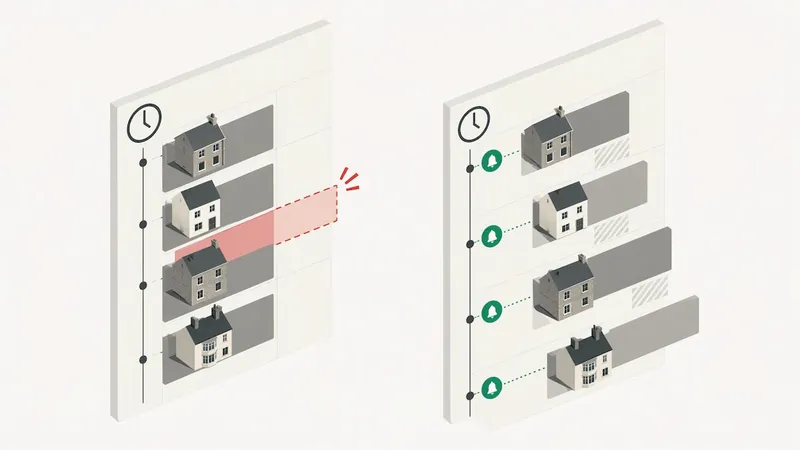
Plan from the item level: list every due date, then cluster bookings by site or area so one trip covers several inspections instead of several half-wasted ones.
- Statutory deadlines vary, so check the rules that apply to the inspection and jurisdiction before booking.
- How an early visit affects the next due date depends on the inspection type and applicable rules, so verify the requirement for each case.
- Before confirming a statutory booking, run a short check: correct inspection type, valid inspector qualification, and confirmed access.
- Keep your schedule reports structured so compliance status is visible at a glance rather than buried in notes.
Our permit inspection checklist walks through these statutory checks in more detail for anyone managing a live build.
Tracking, reporting and the KPIs to prove the schedule is working
A schedule that looks full on paper can still be failing quietly. A handful of metrics, tracked weekly, will tell you where.
- Completion rate: inspections finished on schedule against those due.
- On-time rate: visits that happened within the booked window.
- No-show rate: bookings where nobody was available on-site.
- Reinspection rate: how often a failed or incomplete check requires a repeat visit.
- Average lead time: days between booking and the inspection date.
- Cost per missed visit: wasted inspector time plus any reinspection fee.
Review these weekly for operational issues and monthly for trend shifts. A rising no-show rate usually points back to reminder timing or access problems, and a falling completion rate often means inspector days are over-allocated.
Pro Tip: When no-shows keep climbing, check reminder timing before you check inspector capacity, it may be the cheaper fix.
Tools, templates and quick booking-sheet formats
A booking sheet needs only a handful of fields to do its job well: client, property, inspection type, access notes, utilities, estimated duration, assigned inspector and fee.
- Single-instance: one-off bookings for a discrete inspection.
- Recurring schedule: repeat visits on a fixed interval, useful for ongoing compliance checks.
- Cluster-by-site: multiple inspections grouped by location to cut travel time.
Tool categories worth knowing: calendar and availability systems, reminder engines, and the spreadsheet fallback most teams start with before volume forces a change.
| Format | Best for | Key fields |
|---|---|---|
| Single-instance | One-off inspections | Client, property, date, inspector |
| Recurring schedule | Ongoing compliance checks | Interval, next due date, inspector |
| Cluster-by-site | Multi-property or multi-stage visits | Site group, travel order, access notes |
Our construction stage inspections guide breaks down which inspection types tend to recur at each build phase, useful when deciding which format fits.
Common pitfalls and what to fix first
The mistakes repeat: booking without confirming prerequisites, sending one generic reminder instead of a staged sequence, and letting inspector days fill past sensible limits. Fix reminder timing first; it is the cheapest change with the fastest payoff. Our permit lead times guide and permit inspection checklist cover the rest.
— Azai
How House A‑Z brings scheduling best practice into one place
Running booking sheets, reminder cadences and inspector calendars across separate tools is exactly the chaos we built House A‑Z to remove. Our platform brings project management and contractor collaboration together, helping users avoid the chaos of juggling spreadsheets and apps.
Manage your construction planning in one platform instead of juggling separate tools.
Collaborative tools help contractors and partners stay on the same page.
For anyone managing a cross-border build, independent due-diligence resources like NITARYA's real estate advisory services cover the regulatory and permit checks worth lining up before you schedule. Specialist visits, such as climate control systems, have their own timing logic too, covered well in Akita's guide to scheduling climate control inspections.
See what fits your project on our pricing page, with a Free plan to start and Pro at €29 per month.
FAQ
What does "schedule inspection" mean?
Scheduling an inspection means assigning a due inspection to a confirmed date, time and qualified inspector, with prerequisites checked beforehand so the visit can actually go ahead. It is the step that turns a due date on a list into a real appointment.
What are the 7 steps of the inspection process?
Common versions include: identifying the due inspection, confirming prerequisites, assigning a qualified inspector, booking within the statutory or operational window, sending confirmation and reminders, carrying out the visit, and recording the outcome in a report. Exact steps vary by inspection type and jurisdiction.
How much notice should a landlord give before an inspection?
Notice periods are set by local tenancy law and vary by country and even by region, so landlords should check the rule that applies in their own jurisdiction before booking. As a general scheduling principle, more lead time reduces no-shows and gives tenants a realistic chance to prepare access.
How do I book an appointment for an inspection?
Most booking happens either online through a self-service portal or by phone, and either way you will need the property address, inspection type and any relevant permit number ready, as outlined in municipal scheduling guidance. Confirm access and utilities status at the same time to avoid a wasted visit.
Can inspections be set up on a recurring schedule?
Yes, recurring schedules work well for ongoing compliance checks where the interval is fixed, while one-off visits are better handled as single-instance bookings. System-setup documentation notes that both formats depend on correctly configured inspection types, districts and calendars before they will work reliably.