A renovation procurement log is a single record that tracks every material and product order from request to delivery, matched against your schedule and budget. Its one job is to stop the single most common cause of renovation delay: materials arriving late, wrong, or out of sequence. Homeowners and project managers use it to keep purchases moving in rhythm with the build, like a conductor keeping every instrument on cue.
TL;DR:
- Using a procurement log helps prevent renovation delays by providing real-time visibility of orders, delivery statuses, and budget commitments.
- Long-lead items such as custom cabinetry and imported tiles should be ordered immediately after design approval, while short-lead items can wait two to four weeks before installation.
- Consistently verifying deliveries with photos, matching quantities, and recording damages prevents disputes and ensures timely replacements.
- Linking orders to project milestones and updating costs regularly keeps scheduling and budgeting aligned, avoiding delays caused by untracked variances.
- Maintaining discipline in updating the log instantly with any changes and using a centralized platform reduces errors and simplifies project management.
Table of Contents
- What a procurement log is and why it earns its place on your desk
- The essential fields your procurement template needs
- Building and running the log without it becoming another chore
- What to order first and how much lead time to build in
- Checking deliveries in and catching problems early
- Keeping the log, schedule and budget pointed the same direction
- Where homeowners get this wrong, and what fixes it
- How House A-Z turns this log into a living workflow
- Sources
- FAQ
What a procurement log is and why it earns its place on your desk
Picture this: your kitchen cabinetry is six weeks out, but nobody ordered it until week two of a twelve-week build. That gap, multiplied across tile, windows, and fixtures, is where renovations unravel. A procurement log fixes the sequence by giving every item a home: what it is, who ordered it, when it is due, and where it stands today.
The benefits show up fast:
- You see every open order in one glance, instead of hunting through e-mails.
- You catch lead-time clashes before they become site delays.
- You give contractors and suppliers one shared source of truth.
- You protect your budget by tracking committed spend as it happens.
- You create a paper trail for warranty claims and disputes.
Two common mistakes cause most of the damage: ordering long-lead items late, and letting verbal confirmations replace written records. Construction management platforms recommend procurement logs and templates specifically to centralise supplier data, order dates and delivery status and reduce delays and disputes. A shared, visible log closes both gaps at once.
The essential fields your procurement template needs
A good template is not complicated. It just needs the right columns, kept current. Build yours around these:
- Item description: material, product, and specification, written precisely enough that nobody has to guess.
- Supplier and contact: the company and the person you deal with directly.
- Quantity and unit: what you are ordering and in what measure.
- Order date and PO reference: when the commitment was made and its paper trail.
- Lead time and ETA: the supplier's quoted delivery window against today's date.
- Status: requested, ordered, in transit, delivered, or inspected.
- Linked milestone: the schedule task this item depends on.
- Cost (committed vs actual): what you agreed to pay versus what you paid.
Optional but valuable fields include warranty document links, delivery photos, and storage location on site. Each field earns its place by closing a gap that causes delay: no ETA field means no early warning; no linked milestone means nobody notices when an order and a build phase drift apart. The renovation decision log template follows a similar logic, and pairing the two gives you a complete record of what was chosen and what was bought.
Building and running the log without it becoming another chore
Three formats work, each with trade-offs. A spreadsheet is free and flexible but prone to version chaos when several people edit copies. A shared cloud sheet solves that but needs discipline around access and naming. A dedicated app automates reminders and status updates but comes with a subscription.
Whichever you choose, the routine is the same:
- Pull every material and product line from your programme and drawings before work starts.
- Enter each item with its supplier, quantity, and required-on-site date.
- Assign one owner per row, usually the project manager or the homeowner.
- Set a fixed update cadence, weekly works for most renovations.
- Log every change through an approved-change note rather than editing silently.
Version control matters more than it sounds. One abandoned spreadsheet copy, still open on someone's laptop, is how a confirmed order gets "lost" during a site visit.
Pro Tip: Keep one living file, never a folder of dated copies, and let the status column do the talking instead of chasing updates by phone.
What to order first and how much lead time to build in
Not everything needs the same urgency. Bespoke joinery, windows, and specialist fittings often carry the longest waits; paint, hardware, and standard fixtures can usually be ordered close to installation.
- Order long-lead items (custom cabinetry, imported tile, specialist glazing) as soon as design is locked.
- Order short-lead items (paint, hardware, standard fittings) two to four weeks before installation.
- Build contingency into every ETA, supplier quotes slip more often than they land early.
- Record ETA variance in the log each time it happens, so patterns show up before they repeat.
Furniture and fitted joinery deserve particular care: a practical workflow for ordering fitted furniture stresses locking specifications early precisely because these items sit at the back of the queue. Government guidance notes that approval and compliance checks often determine when materials must be ordered and inspected, so align your ordering windows with sign-off dates, not just supplier promises.
Checking deliveries in and catching problems early
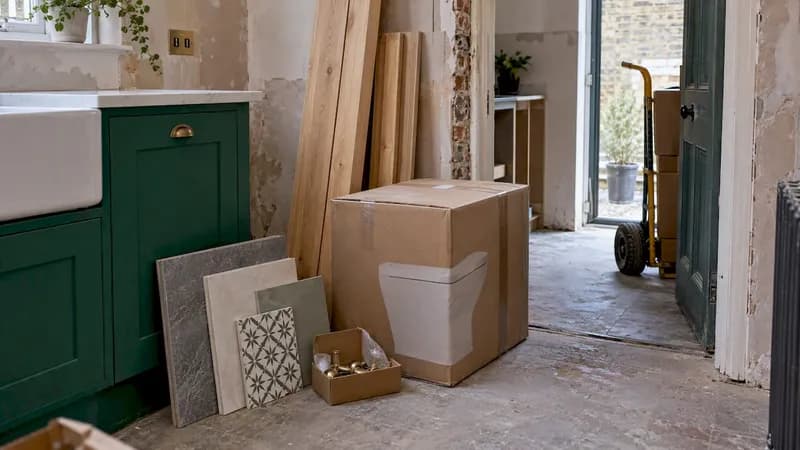
Every delivery deserves the same five-minute ritual: check the item against the order, count the quantity, inspect for damage, and photograph the result before it moves off the lorry. That habit alone prevents most disputes.
- Match delivered quantity and specification against the original order line.
- Photograph the item on arrival and again once unpacked.
- Log any damage or shortfall immediately, with the photo attached to that row.
- Chase replacements through the supplier contact recorded in the log, not a new e-mail thread.
- Attach the delivery record to its invoice and warranty file for later reference.
The three-phase photo documentation method built for renovation projects exists for exactly this reason: photos taken at delivery, mid-install, and completion protect both homeowner and contractor when a warranty claim surfaces months later. The HSE's construction guidance also stresses careful materials handling on arrival, which matters as much for safety as for your paperwork.
Keeping the log, schedule and budget pointed the same direction
A procurement log only earns its keep when it talks to your programme and your budget, not just your supplier list. Link every row to the milestone it feeds, whether that is a Gantt task or a draw schedule code, so a late order flags itself against the date it threatens.
- Tag each line with the schedule milestone or payment stage it supports.
- Update committed cost the moment an order is placed, not when the invoice lands.
- Compare committed cost against actual cost weekly to catch drift early.
- Share the log with your contractor and lender on the same cadence as your draw requests.
Anyone setting up a draw schedule for the first time will recognise the pattern: procurement and payment stages rise and fall together, and a log that ignores one will eventually mislead the other.
Where homeowners get this wrong, and what fixes it
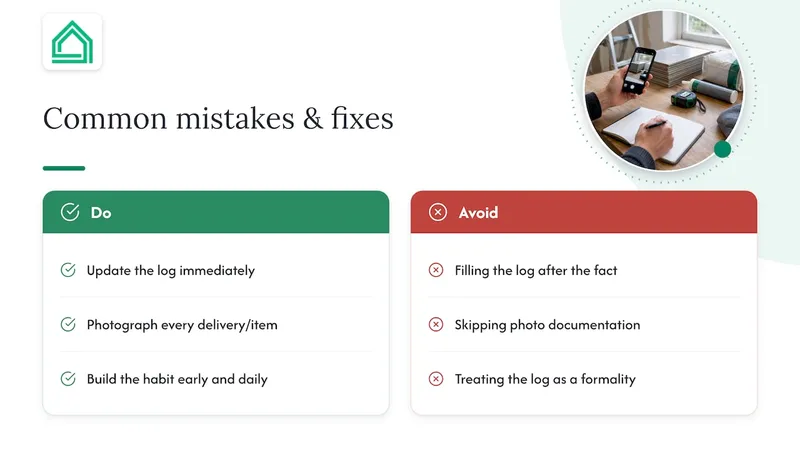
The most common mistake is treating the log as a formality rather than a daily habit, filling it in after the fact rather than as orders happen. The second is skipping photo documentation because a delivery "looked fine", only to need proof weeks later when a cabinet door warps. Both are fixed by the same discipline: update the row the moment something changes, and photograph everything that crosses your threshold.
A reliable renovation project management habit, built early, saves more arguments than any contract clause.
— Azai
Sources
FAQ
Can you provide an example of a construction procurement log?
A typical example lists one row per item, with columns for description, supplier, order date, lead time, ETA, status, and linked schedule milestone. Each row updates as the item moves from requested to ordered, in transit, and delivered.
What is a procurement log?
A procurement log is a record that tracks every material or product order on a project, from the request through to delivery and inspection. It keeps purchases visible against the build schedule and budget so nothing arrives too late or unaccounted for.
What are the 5 stages of procurement?
Most renovation procurement logs track the same lifecycle: requested, ordered, in transit, delivered, and inspected. Some add an approval or sign-off stage before an item counts as fully closed.
What is the best software for construction procurement?
Options range from shared spreadsheets to dedicated construction apps such as those listed on major app store platforms, each offering order tracking and site communication features. For homeowners who want budget tracking and procurement logs in one interface rather than several tools, House A-Z's Free plan is worth trying before choosing a heavier enterprise system.