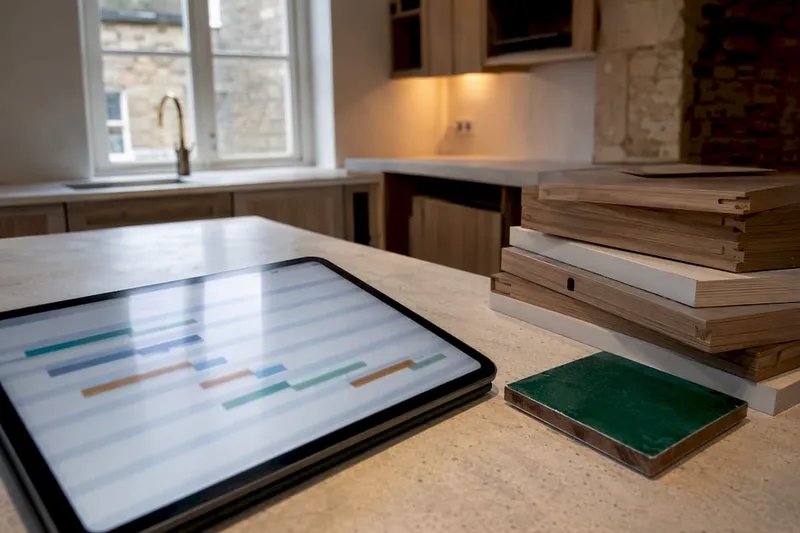
A renovation Gantt chart turns your project into a single visual plan you can share with contractors, showing every task, deadline, and dependency at a glance. It is the fastest way to cut schedule conflicts before they cost you money. Skip the blank page: open a ready-made template, set your planning start date, and map your major phases first. The detail comes later.
TL;DR:
- A well-structured renovation Gantt chart should include clear dependencies, buffers on permit-dependent tasks, and regular updates to adapt to delays.
- Use templates that align with your project size and familiarity, whether interactive online tools, spreadsheets, or prefilled professional templates.
- Always confirm lead times, supplier availability, and contractor schedules before finalizing durations and set fixed milestones to prevent schedule shifts.
- Incorporate buffers for long-lead items and permit delays, and run scenario tests to identify fragile points in your schedule early on.
- Linking schedule data with budgets — including payment milestones and lead times — helps avoid unexpected costs and financial overruns.
Table of Contents
- What should a ready-to-use renovation Gantt template include?
- How do you turn a template into a working renovation schedule?
- What tasks and durations belong in a renovation timeline?
- How do dependencies and buffers protect your schedule?
- What mistakes derail a renovation Gantt chart?
- How do you share and update the chart with contractors?
- What does a successful renovation timeline actually look like?
- How does your Gantt chart connect to your renovation budget?
- What should you look for in Gantt software or apps?
- How do you adjust the Gantt chart when delays hit?
- Why templates alone aren't enough
- Manage your schedule, budget and contractors in one place
- Sources
- FAQ
What should a ready-to-use renovation Gantt template include?
Not every template suits a first-time renovator. Some are built for construction professionals tracking a dozen trades at once; others are stripped-down starter files meant for exactly the kind of DIY project you're planning. The right choice depends on how much structure you want handed to you versus how much you're happy to build yourself.
Three types dominate what's available:
- Interactive online Gantt tools let you drag task bars, adjust dates instantly, and share a live link with your builder. Editing tends to be faster than a spreadsheet, since the Home Renovation Timeline Template can be used directly in the browser without creating an account.
- Editable spreadsheet templates (Excel or Google Sheets) work well if you're already comfortable with formulas, though they lack automatic dependency updates. Shift one date and you'll likely need to adjust every downstream task by hand.
- Designer-crafted Gantt templates, such as the Home Renovation Project Plan Template, come prefilled with permit slots, contractor milestones, and inspection checkpoints already positioned in a sensible order.
Whichever you pick, edit three things immediately: your planning start date, three or four major milestones (design sign-off, permit approval, construction start), and the overall scope. Check export options too. PDF snapshots and shareable links matter more than sign-up requirements once contractors get involved.
How do you turn a template into a working renovation schedule?
Do these steps to make a usable, shareable renovation schedule rather than a static picture of one.
- Set your start date and lock in two or three fixed milestones — a permit deadline or a moving date you can't shift.
- Break the project into phases, then tasks. Don't list every screw and fixing; list the work packages a contractor would recognise (demolition, framing, electrical rough-in).
- Estimate durations for each task, using ranges rather than single days where you're unsure.
- Set dependencies so tasks connect logically. Flooring can't start before plumbing rough-in passes inspection.
- Add lead times for materials and slots for inspections as their own line items, not afterthoughts.
- Assign an owner to every task — you, a contractor, or a specific trade.
- Set a weekly update cadence so the chart reflects reality, not last month's plan.
Pro Tip: Drag-and-drop editing makes rescheduling painless, but lock your fixed milestones so a casual drag doesn't quietly shift your move-in date. Export a dated snapshot every Friday and send it to contractors as a PDF. That single habit stops "which version is current?" arguments before they start.
What tasks and durations belong in a renovation timeline?
A realistic renovation Gantt chart runs through a predictable sequence of phases, even though the exact number of weeks varies with project size and region.
- Planning and design: 2–6 weeks, often longer if you're waiting on architect revisions.
- Contractor selection: 2–4 weeks for quotes, references, and contracts.
- Permits: 1–8 weeks depending on your local authority and project scope.
- Procurement and material lead times: 4–12 weeks for custom cabinetry, windows, or specialty tile.
- Demolition: a few days to two weeks.
- Rough-in (plumbing, electrical, HVAC): 1–3 weeks.
- Inspections: usually scheduled in 1 to 3 day windows, but booking them can add days to weeks of waiting.
- Finishes (flooring, painting, cabinetry install): 3–6 weeks.
- Final inspection and punch list: 1–2 weeks to close out remaining items.
Homeowners consistently underestimate how long pre-construction work takes. Design decisions and permit approvals routinely eat more calendar time than the actual construction phases that follow them. When you enter these figures into your template's duration fields, use the higher end of each range for anything permit-dependent. It's the phase most likely to run long.
How do dependencies and buffers protect your schedule?
Two dependency types cover most renovation tasks. Finish-to-Start means one task can't begin until another finishes, such as flooring waiting on plumbing sign-off. Start-to-Start means two tasks can run together, like electrical and plumbing rough-in happening in the same week without one blocking the other.
Buffers absorb the unpredictable part of any renovation:
- Add 20 to 30% buffer to any permit-dependent task.
- Add a fixed 1 to 2 week buffer after ordering long-lead items like custom windows or imported tile.
- Build in a 2 to 3 day handover buffer between subcontractors so one trade's delay doesn't instantly cascade.
Pro Tip: Run a "what-if" scenario before committing to a live schedule: shift one key delivery date and watch what else moves. AI-assisted Gantt tools can suggest dependencies and model these shifts automatically, but they still need a human check against your actual contracts and lead times. This kind of scenario testing, as outlined by project management specialists, reveals exactly where your schedule is fragile.
What mistakes derail a renovation Gantt chart?
Over-detailing is the most common trap. Listing forty micro-tasks for a single bathroom makes the chart exhausting to update and easy to abandon within a fortnight. Ignoring dependencies is a close second: a chart with no linked tasks looks tidy but breaks the moment one date slips, because nothing downstream adjusts with it.
Other frequent errors:
- Setting zero buffer anywhere near permits or custom orders.
- Never confirming supplier lead times before entering a duration.
- Assuming contractor availability without getting it in writing.
Before you finalise anything, run three checks: confirm your permit timeline with your local authority, request written availability and provisional start dates from every trade, and list every long-lead item with its supplier's quoted delivery window, using reliable third-party reports like those from NoFooly Foolproof to verify conditions early in planning.
How do you share and update the chart with contractors?
Decide early who owns the master file and how changes get logged. A live link works better than emailed spreadsheets, since cloud-hosted plans reduce the version confusion that comes from five people editing five different copies.
- Share a live link for real-time visibility, or export a weekly snapshot as PDF if your contractors prefer static files.
- Keep a short change log for any major date shift, noting what moved and why.
- Use the chart as the agenda for weekly contractor check-ins, and reference it again at each phase handover.
One person should hold editing rights; everyone else views or comments. That single rule prevents the accidental overwrite that undoes a week of careful planning.
What does a successful renovation timeline actually look like?
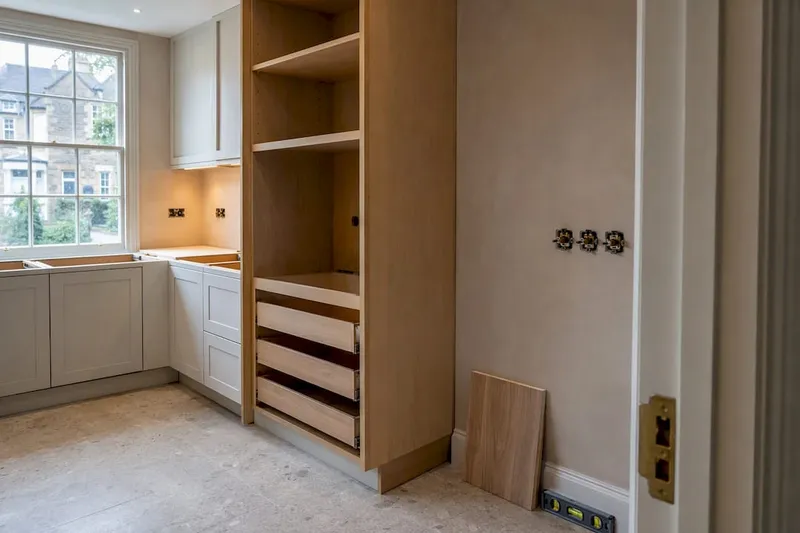
A kitchen renovation with a fixed 10 week deadline (a family moving back in for a school term start) succeeds when the homeowner builds in buffer around the two riskiest items early: custom cabinetry lead time and the electrical inspection slot. Mapping those first, before finishes or paint colours, means the schedule holds even when the cabinetry supplier confirms a 9 week delivery instead of 6.
Contrast that with a whole-house renovation where permits took 7 weeks instead of the planned 3. Because the homeowner had built permits into the Gantt chart as their own line item, with a buffer already attached, the delay pushed the finish date back by roughly three weeks rather than derailing the entire project. Demolition, rough-in, and procurement simply shifted together, since they were all correctly linked as dependent tasks.
The pattern in both cases is the same: the schedule survived because the riskiest, longest-lead items were identified and buffered before work started, not discovered mid-project. A bathroom remodel follows a similarly predictable sequence of steps where getting the order right at the outset avoids a costly redo of tiling or plumbing later. Renovations rarely fail because a Gantt chart existed. They fail when it was built once and never touched again after week two.
How does your Gantt chart connect to your renovation budget?
A schedule and a budget answer two different questions. One tells you when something happens; the other tells you what it costs. Keeping them apart is how homeowners end up paying rush fees for materials ordered too late, or discover a cost overrun only after the invoice arrives.
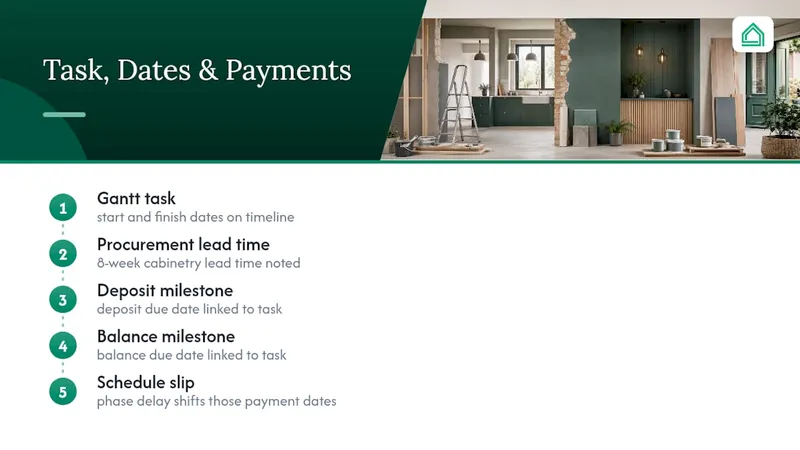
Link the two by tagging each task in your Gantt chart with its estimated cost and payment milestone. When cabinetry procurement sits in your timeline with an 8 week lead time, note the deposit due date and balance due date against that same task. Then, when a phase slips, you immediately see which payments shift too, rather than finding out from a contractor's invoice weeks later.
Spreadsheets can technically do this, but they demand constant manual reconciliation between two separate files. That's precisely where dependency tracking breaks down: modern project management tools automate the downstream adjustments that spreadsheets require you to catch and fix by hand. A schedule slip that goes unnoticed on the budget side is how a fixed-price renovation quietly becomes a cost-plus nightmare. Reviewing schedule and budget together, weekly, catches this before it compounds. Treat the two as one conversation, not two documents you occasionally cross-reference.
What should you look for in Gantt software or apps?
The single biggest usability difference between tools is how they handle changes. A drag-and-drop interface that automatically shifts every dependent task saves you from manually recalculating dates every time a delivery slips. Static spreadsheet grids don't offer that, which is part of why construction scheduling platforms increasingly favour visual, draggable timelines over cell-based layouts.
Look for a few practical things before committing to any tool for the length of your project:
- Live sharing, so your contractor sees the current version, not last week's export.
- Prefilled renovation templates, so you're editing an existing structure rather than building phases from nothing.
- Snapshot or PDF export, for contractors who prefer a printed reference on site.
- Some form of dependency logic, even basic Finish-to-Start linking, so one date change doesn't require twelve manual edits.
AI-assisted features are becoming common in this space, suggesting task durations from project scope or flagging dependencies you might have missed. Treat these as a useful first draft, not a final answer. The tools can model a "what-if" scenario in seconds, but they don't know your contractor's actual availability or your council's actual permit backlog, so manual review still matters before you commit to any date.
How do you adjust the Gantt chart when delays hit?
Delays aren't a sign your plan failed. They're the reason you built a Gantt chart instead of relying on memory. The question is how quickly you can see the ripple effect and adjust.
When a task slips, start by moving that single task to its real new finish date. If your chart has dependencies set correctly, everything linked to it should shift automatically. Where it doesn't shift automatically (common in spreadsheet templates), manually check every task that depends on the delayed one before assuming the rest of the schedule still holds.
Then reassess your buffers. If the permit approval already ate its 20% buffer and slipped further, don't just extend that one task. Check whether the buffer on the next long-lead item is still realistic given the new timeline, because contractor and supplier availability windows can move too. Communicate the change immediately rather than at the next scheduled check-in. A one week slip flagged early is a minor adjustment; the same slip discovered two weeks later, after a subcontractor has already shown up for a job that isn't ready, becomes a rebooking problem on top of the original delay.
Why templates alone aren't enough
A template gets you started, but it can't see your actual contractor's schedule or your supplier's real delivery date. The homeowners who avoid costly surprises are the ones checking their schedule against their budget every week, not just at the start. Combining schedule, budget, and supplier data in one view catches conflicts a Gantt chart alone will miss. It's worth reading further on renovation project management tools if you want to see how that combination works in practice.
— Azai
Manage your schedule, budget and contractors in one place
Juggling a Gantt template, a separate spreadsheet for costs, and a group chat with your builder is exactly the chaos House A-Z was built to remove. Instead of maintaining three disconnected systems, House A-Z brings your renovation schedule, budget tracking, and contractor collaboration into one interface, with AI-backed insights that flag potential budget and timeline conflicts based on your own project data. Some users have avoided costly errors worth up to €20,000 simply by having schedule and spend visible in the same place.
Before your next major delivery date creeps up on you unnoticed, take a look at the free plan and see whether an integrated view suits your project better than three separate files. If you're coordinating multiple trades, the Pro plan at €29 a month adds the shareable exports and deeper contractor collaboration tools that a spreadsheet simply can't offer.
Sources
- Best AI Gantt chart maker tools
- Project management tools explained
- Home Renovation Timeline Template (Free, Editable)
- FREE Home Renovation Project Plan Template (Gantt Chart)
FAQ
Can ChatGPT make Gantt charts?
ChatGPT and similar AI tools can suggest task lists, estimate durations, and propose dependencies, but they can't generate a fully formatted, interactive Gantt chart on their own. You'll still need a template or dedicated tool to turn those suggestions into a visual, editable schedule.
Is there a free template for a home renovation spreadsheet?
Yes, several providers publish free editable renovation Gantt templates, including an interactive browser-based version that requires no sign-up and a downloadable spreadsheet version with prefilled phases.
What are the important elements of a Gantt chart?
A working renovation Gantt chart needs tasks, start and end dates, durations, dependencies, milestones, assigned owners, and progress tracking. Missing any one of these, particularly dependencies, is what causes most homeowner schedules to fall out of date within weeks.
How do I create a project plan for my house renovation?
Start from an editable template, set your planning start date and key milestones, then break the project into phases and tasks with realistic durations and dependencies. Platforms like House A-Z let you build that schedule alongside your budget and contractor communication in one place, rather than juggling separate files.
How often should I update my renovation Gantt chart?
A weekly update, ideally tied to your contractor check-in, keeps the chart accurate without becoming a daily chore. Major date shifts should be logged with a short note explaining the cause, so the schedule stays a reliable reference rather than a guess.